Employee Development Software for Frontline Teams
Here is an unpopular opinion for a post about software: the app is rarely the reason frontline development fails. Most of the platforms on the market will run on a phone. What breaks is everything around the phone. Nobody agreed when the learning happens. Nobody agreed who pays for it. And the supervisor who is meant to sign off the skill is three people short on a Saturday.
Employee development software for frontline teams is a platform that lets shift-based and deskless staff learn, build skills and progress from a phone or shared device, without a desk or company email. It links short learning to a skills framework, lets supervisors sign off skills on the floor, and shows each person the route to their next role.
Key facts
- Under UK minimum wage rules, training time counts as working time.
- HMRC says required training outside normal hours is still part of the work arrangement.
- Apprentices' off-the-job training must happen within normal paid working hours.
- Manufacturing, construction and retail train the smallest share of staff (DfE, 2024).
Most buyer's guides for this category are listicles written by the vendors being ranked, and they agree on the feature list: mobile-first, offline, microlearning, multiple languages, gamification. Those things matter, but none of them deal with UK rules on paid training time, personal phones or apprenticeships. This guide covers both. If you want the general case first, read our guide to employee development software.
What changes when your workforce has no desk?
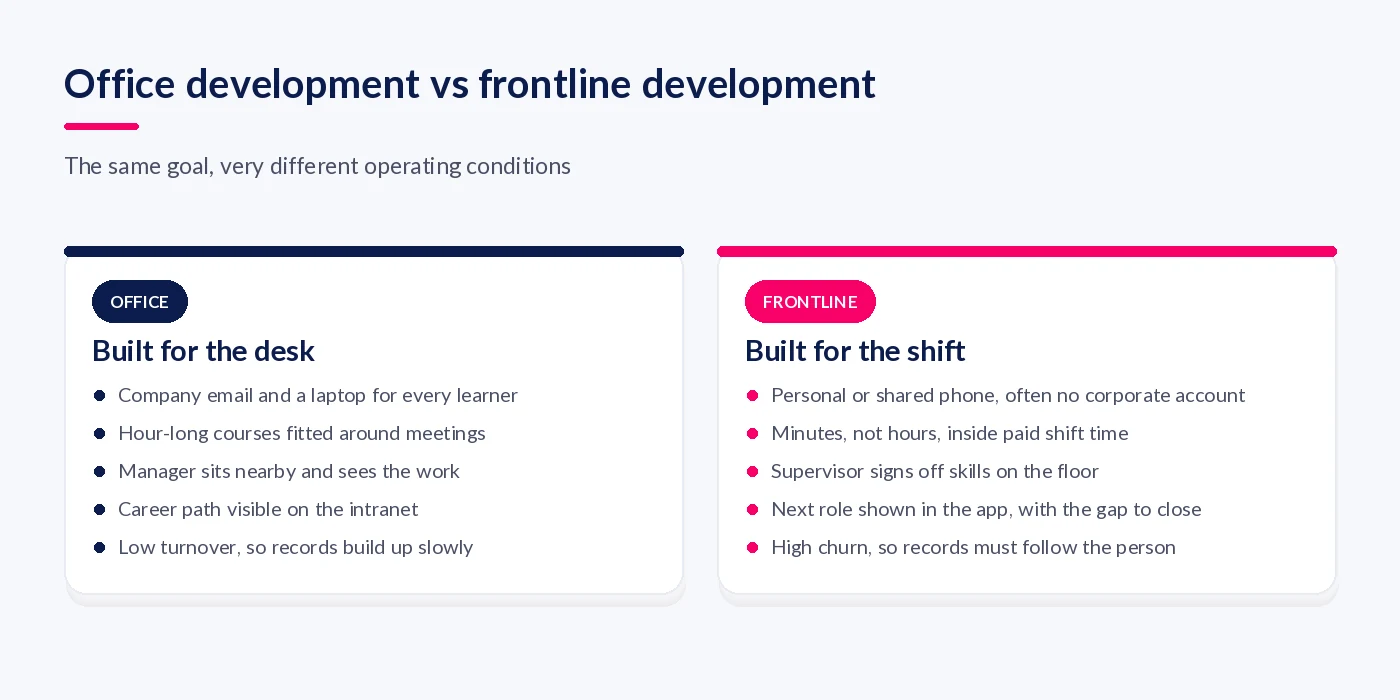
Three things change: how people get in, when they learn, and who confirms they can do the job. Office development assumes a laptop, a corporate login and a manager who sees the work. On a shop floor, ward or warehouse, people learn on their own or a shared phone. Their learning has to fit inside a shift, and the proof of skill is a supervisor watching them do it.
Before you look at any product, a frontline development system has to answer these questions for every person on the rota:
- Can they sign in without a company email address or an Office 365 licence?
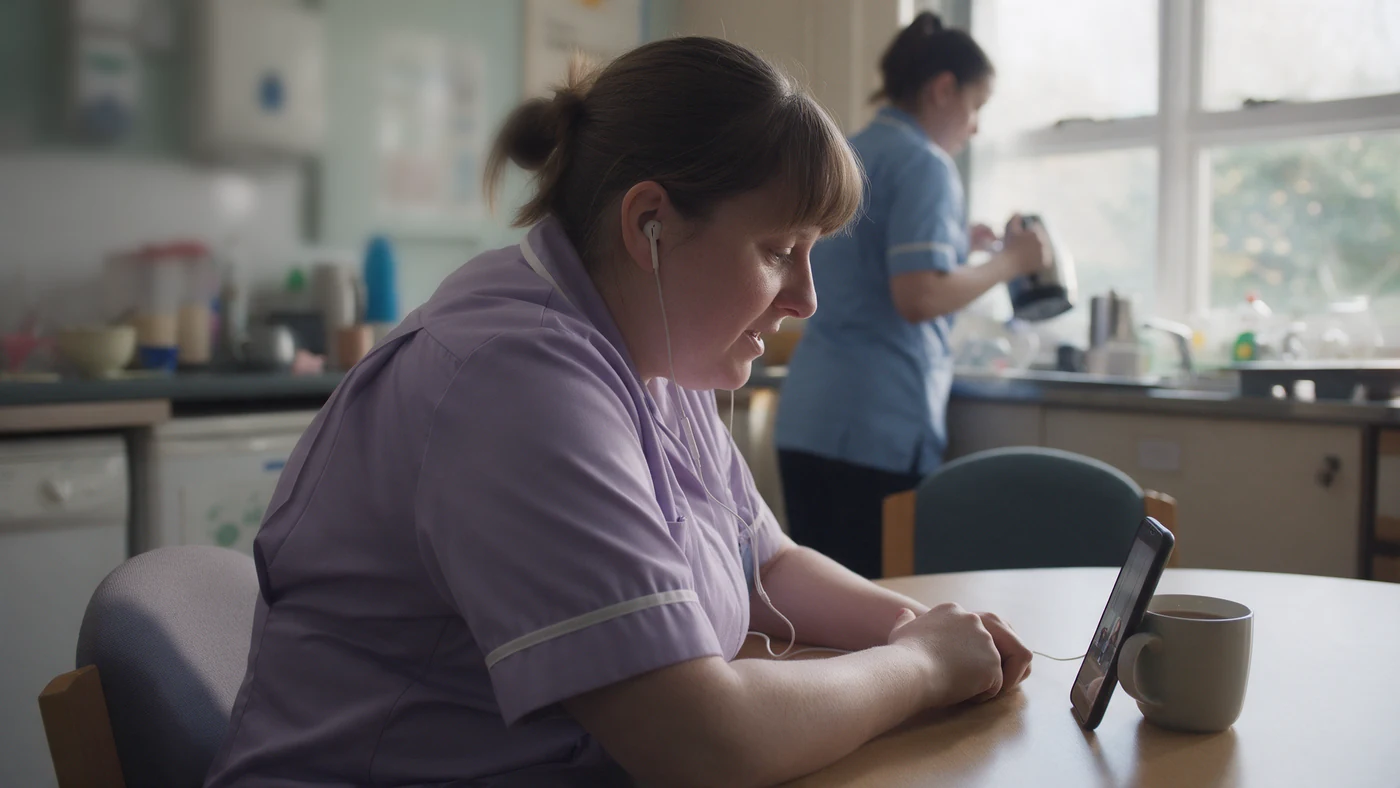
- Does it work on the phone they actually carry, including older Android handsets and shared devices?
- When, inside paid time, are they expected to learn?
- Which skills does their role need, and which have been observed and signed off?
- What is the next role open to them, and what is the gap?
- If they leave and come back next season, does the record come back with them?
The scale of the gap is visible in national data. In the Department for Education's Employer Skills Survey 2024, 63% of UK employees had received training in the previous 12 months. The lowest shares were in manufacturing (48%), construction (49%) and wholesale and retail (50%). Those are the sectors with the most people away from a desk. Small sites fare worse too: at sites with 2 to 4 employees, only 37% of staff had been trained, against 69% at sites with 25 or more.
Who pays for the ten minutes?
If an employer requires the training, the time spent on it is working time for minimum wage purposes, wherever and whenever it is done. A ten-minute module that staff are told to finish at home is not free learning. It is unpaid work.
The law is plain. Regulation 33 of the National Minimum Wage Regulations 2015 says: “The hours a worker spends training, when the worker would otherwise be doing time work, are treated as hours of time work.” Regulation 27 does the same for salaried staff. HMRC's own National Minimum Wage Manual goes further, addressing the employers who think out-of-hours training does not count: “This is a mistake, as a requirement placed upon a worker by their contract will form part of their work arrangement with the employer.”
For a salaried office worker paid well above the minimum, an extra half hour of e-learning rarely tips anyone below the line. For an hourly picker or care worker on or near the National Living Wage, it can. Unpaid training hours lower their average hourly pay for the pay reference period, and a small amount of unpaid time can create an underpayment.
Here is how the common situations line up against the sources:
| Situation | What the rules say | Source |
|---|---|---|
| Required module completed during a shift | Hours spent training count as hours of time work | NMW Regulations 2015, reg 33 |
| Required module completed at home after a shift | A contractual requirement forms part of the work arrangement, so the time still counts | HMRC NMWM08290 |
| Required training done during a rest break | Working time includes “any period during which he is receiving relevant training”, so the break is not really a break | Working Time Regulations 1998, reg 2 |
| Apprentice's off-the-job training | Must be within normal paid hours, with “no expectation” of training in their own time | DfE off-the-job training guidance |
| Employee asks for time off to study | A right to request, for employees with 26 weeks' service in organisations of 250 or more; time off is usually unpaid | GOV.UK, ERA 1996 s.63D |
The apprenticeship row matters if you use the levy to fund frontline progression. The DfE off-the-job training guidance (England) says training “must take place within the apprentice's normal working hours” and that no programme can require less than 187 hours of it. The minimum programme length fell from 12 months to 8 months for new starts from 1 August 2025.
And whose phone is it?
Asking staff to learn on their own phones raises a second question. The ICO's guidance on monitoring workers warns that monitoring “can be particularly intrusive if workers are using their own devices”, and that you should make sure “you are not capturing their private use of their device.” The ICO notes that guidance is under review following the Data (Use and Access) Act. Its audit toolkit also expects a separate bring-your-own-device policy and a risk assessment before you start. In practice, choose a platform that runs in the browser or as an installed web app, rather than one that needs device-level permissions. Tell people exactly what is recorded, and keep a shared device on site for anyone who would rather not use their own phone.
None of this rules out mobile learning. Just write down, before launch, when learning happens, how it is paid and what the app can see. This is general information, not legal advice.
Eight checks before you buy
Run these on a real shift with real staff, not in a demo. A platform that fails the first two will not get used, however good its content library.
- Sign-in without a company email. Ask how a picker with no corporate account gets in on day one. Look for single sign-on that doesn't depend on Office 365 licences, or a supported alternative. Time it.
- The phones people really carry. Test on an older Android handset and a shared tablet, not the vendor's iPhone. Check the WCAG 2.2 basics: content that reflows at 320 CSS pixels wide, and tap targets of at least 24 by 24 CSS pixels.
- Learning sized to paid time. Modules short enough to finish in a scheduled slot, and a way to see completion against rota hours so you can prove the time was paid.
- Skills signed off on the floor. A supervisor should be able to observe a task and record the sign-off on a phone in under a minute. Courses alone do not prove competence.
- A framework underneath. Every module and sign-off should map to a skill in a role profile. Without that, you have a content library, not development.
- A visible next step. Each person should see the next role open to them and the skills gap to close. This is the part listicles mostly ignore.
- Records that follow the person. Seasonal and returning staff should keep their history. Check what happens to a record when someone leaves and rejoins.
- Pricing that fits part-time staff. Ask how part-time, seasonal and agency workers are licensed, and whether minimum seat counts make a small site uneconomic.
Check four is the one I would weight most. Frontline competence is visible: you can watch someone change a filter, run a handover or complete a hoist transfer. A platform that only counts course completions will tell you who clicked through, not who can do the job. Our guide to the mandatory training matrix covers how to separate the two.

Where frontline development programmes stall
Programmes rarely fail at launch. They fade in month three, usually for one of four reasons.
Learning that only happens off the clock
If completion rates are high but nobody has a scheduled slot, staff are doing it in their own time. That is a pay risk, as above. It also tells people development is unpaid work for the company.
Supervisors with no time to sign off
If a sign-off takes ten minutes of paperwork, it will not happen on a busy shift. Budget the supervisor's time as deliberately as the learner's.
Development that stops at compliance
Mandatory training is necessary but it is not development. If the only thing in the app is fire safety and manual handling, people learn that the app is where compliance lives. Put at least one visible progression route in from the start, even if it is just “multi-skilled on two stations”.
Records that die with the leaver
Frontline turnover is high, and a lot of it comes back. The same problem undermines succession planning for frontline teams, where the knowledge walks out with the person.
A worked example: one distribution site, one role
Take a composite example: a 140-person distribution centre running three shifts, mostly hourly staff near the National Living Wage, with no company email below team leader. The operations manager wants a route from picker to team leader, because team leader vacancies keep being filled externally.
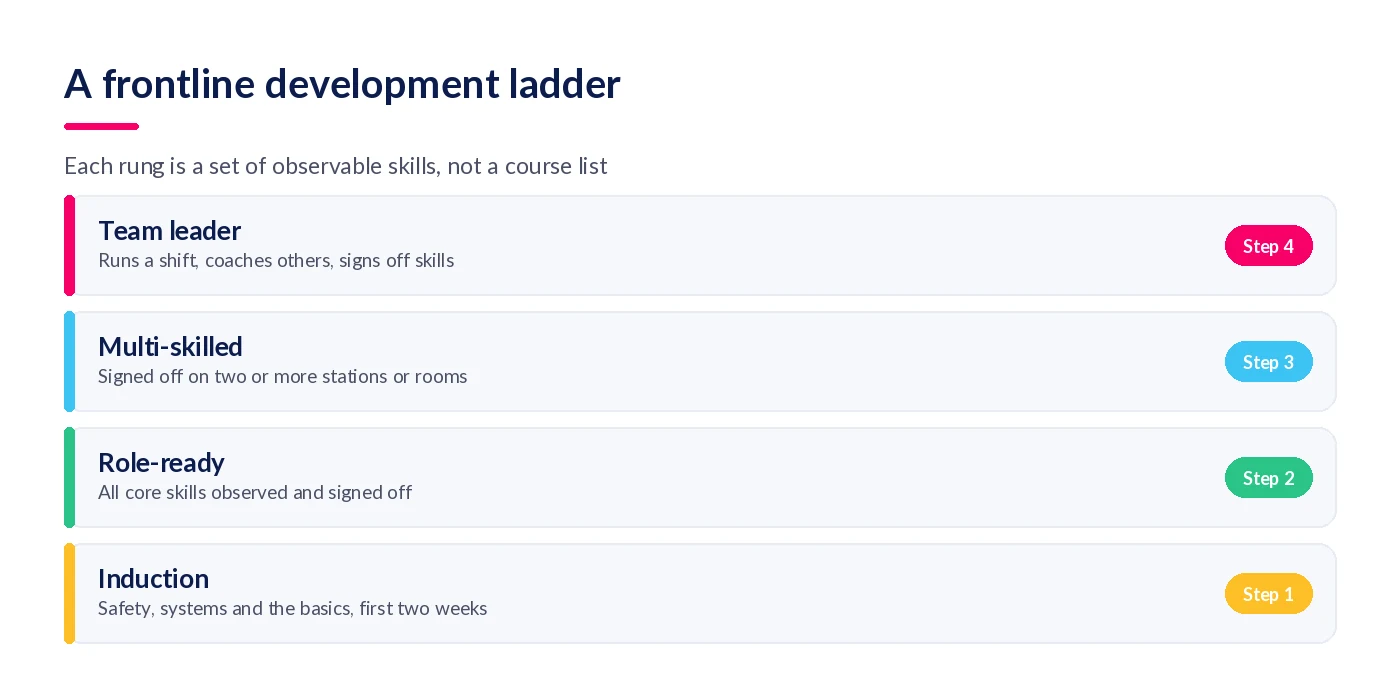
They start with one role, picker, and define four rungs: induction, role-ready, multi-skilled and team leader. Each rung is a short list of skills a supervisor can watch, such as safe use of a powered pallet truck, accurate picking and running a shift handover. Learning for each skill is a short module on the phone, completed in a 15-minute paid slot added to the start of the shift twice a week. The slot is on the rota, so the time is visible in payroll.
Supervisors sign off a skill on their phone while they watch it, and each picker can see their rung and the gap to the next. When a picker leaves for the summer and returns in October, their sign-offs are still there, so they skip straight to whatever lapsed.
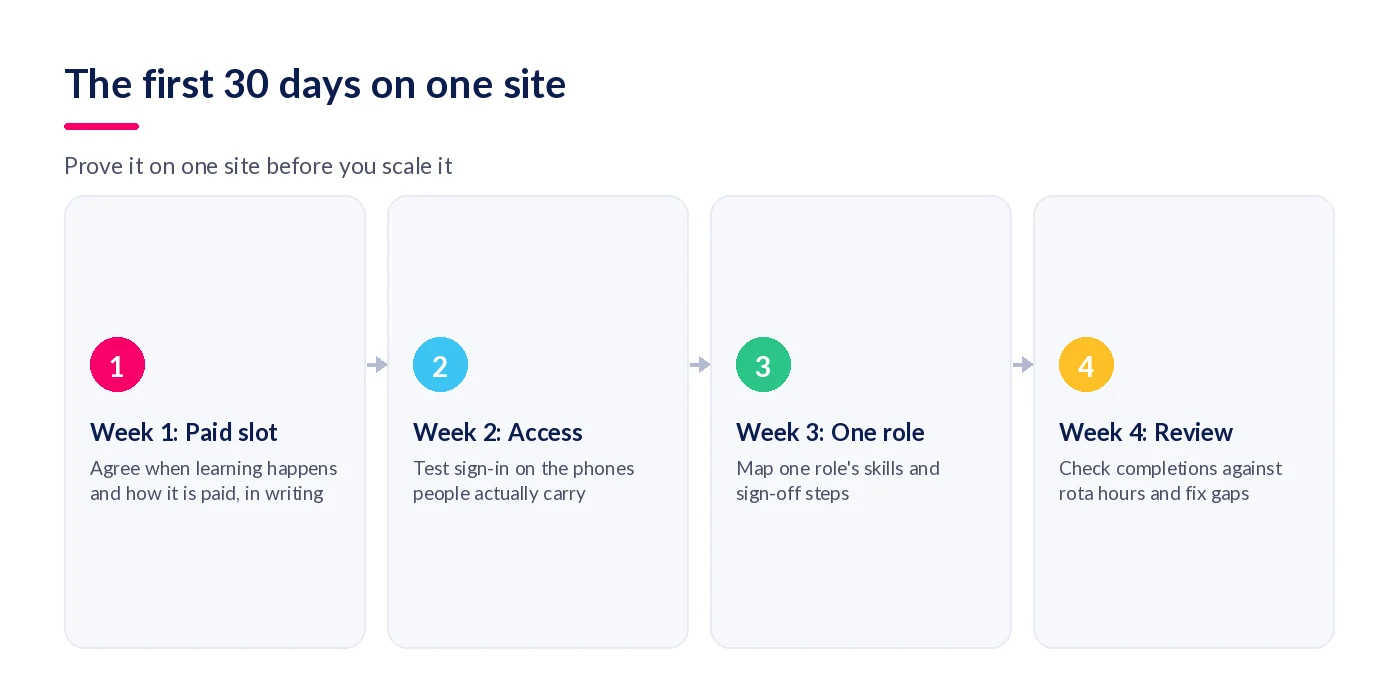
| Week | Do this | You know it worked when |
|---|---|---|
| 1 | Agree the paid learning slot and the shared-device fallback, in writing | The slot is on the rota and payroll can see it |
| 2 | Get every picker signed in on the phone they carry | Nobody needs a company email to get in |
| 3 | Load the picker skills and the sign-off steps | A supervisor can record a sign-off in under a minute |
| 4 | Compare completions with rota hours and check who is behind | No learning is happening outside paid time |
If you need a starting structure for the plans themselves, our employee development plan template adapts well to frontline roles.
Where StaffCircle fits
StaffCircle puts performance and development in one app for every worker type. Here is how it maps to the checks above.
No app store, no Office 365 licence
The StaffCircle mobile app installs to the home screen as a web app, with nothing to download from an app store, on any modern iOS or Android phone. Staff sign in with single sign-on, and Microsoft 365 isn't a prerequisite. Because it runs as a web app rather than a native install, it doesn't ask for the device-level access that makes personal-phone use awkward.
Development tied to a competency framework
StaffCircle's skills and development tools build development plans on top of a competency framework, so each skill gap links to the training that closes it. The competency framework sits underneath, and employees can update their own development objectives.
Training records that stand up to an audit
Centralised learning brings internal, external and mandatory training into one library aligned to the framework, with completions logged automatically. It connects to LinkedIn Learning, SCORM content and other tools you may already use.
Development in the same place as the conversation
Objectives, 1:1 reviews and development all run on mobile, so the supervisor's check-in and the skills record live in one place. That matters for the conversations covered in our guide to continuous feedback for frontline teams. Customers report 57% lower employee turnover; that page explains how the figure is measured.
Final thoughts
Choosing frontline development software is mostly about the operating model, not the features. Agree when learning happens and how it is paid, make sign-in work on the phones people carry, let supervisors sign off what they see, and show every person the next rung. Get those right on one site and almost any decent platform will work.
If you would like to see how this works for a frontline workforce, book a demo and we will walk you through it on your own roles.
FAQ
What is employee development software for frontline teams?
It is a platform that lets shift-based and deskless staff learn, build skills and progress from a phone or shared device, without a desk or company email. Good systems link short learning to a skills framework, let supervisors sign off skills on the floor and show each person the route to their next role.
What is the difference between a frontline worker and a deskless worker?
The terms overlap heavily and are often used interchangeably. Frontline usually means customer- or patient-facing and operational roles, such as retail, care and logistics. Deskless describes anyone whose work is not done at a desk, which also includes field engineers and drivers. For development software, the practical needs are the same.
Do employees get paid for training time in the UK?
Yes, for minimum wage purposes. Regulation 33 of the National Minimum Wage Regulations 2015 treats hours spent training as hours of time work, and HMRC says training an employer requires outside normal hours still forms part of the work arrangement. Unpaid training can push hourly workers below the minimum wage.
Can employers make staff complete training in their own time?
Employers can schedule required training outside normal shifts, but the time still counts as working time for minimum wage purposes and should be paid. Apprentices are stricter: DfE guidance says off-the-job training must happen within normal working hours. Check contracts and take advice before relying on out-of-hours learning.
Can you require employees to use their personal phone for training?
It is possible, but it needs care. The ICO expects a separate bring-your-own-device policy and a risk assessment, and warns against capturing private use of personal devices. A browser-based or web app with no device permissions, plus a shared on-site device as a fallback, is the lower-risk approach.
How do you deliver training to employees without a company email?
Use a platform that supports sign-in without a corporate account, such as single sign-on that does not need an Office 365 licence, or another supported login method. Test it on day one with a real new starter on their own phone, and keep a shared device on site for anyone who cannot or will not use theirs.
How long should a microlearning module be for shift workers?
Short enough to finish inside a scheduled paid slot, which in practice usually means a few minutes. There is no single evidence-based number, and published advice ranges widely. Size each module to one skill or one decision, and fit it to the time you have actually put on the rota.
Is an LMS enough for frontline employee development?
Usually not on its own. An LMS delivers and tracks courses, but frontline competence is proved by a supervisor watching someone do the task. You also need a skills framework, on-the-floor sign-off and a visible progression route.
How do you create career paths for frontline employees?
Start with one role and define three or four rungs, each a short list of skills a supervisor can observe, from induction to team leader. Show every person which rung they are on and what stands between them and the next. Add more roles once the first path is being used.
How do supervisors sign off frontline skills?
By observing the task and recording the sign-off at the time, ideally on a phone in under a minute. Each sign-off should link to a named skill in the role profile, with the date and the supervisor recorded. Budget supervisor time for this, because it is the usual bottleneck.
Do apprentices have to do off-the-job training in paid hours?
Yes, in England. DfE guidance says off-the-job training must take place within the apprentice's normal working hours, and there must be no expectation of training in their own time. No programme can require less than 187 hours, and the minimum programme length is now 8 months.
What should you check before buying employee development software for frontline teams?
Test sign-in without a company email, performance on older and shared phones, learning sized to paid slots, on-the-floor skills sign-off, a framework underneath, a visible next role, records that survive leavers and returners, and pricing for part-time and seasonal staff. Run the checks on a real shift, not in a demo.
Related articles

See StaffCircle in action
Book a personalised demo and see how StaffCircle drives performance, engagement and development.