Employee Performance Evaluation Software: 15 Questions to Ask Every Vendor
Picture this. You’ve just finished a slick 45-minute vendor demo. The dashboard looks flawless, and the rep assured you their platform does everything. You sign the contract, roll it out, and celebrate.
Fast-forward six months.
Line managers ignore review notifications, frontline staff can’t log in without corporate email licences, HR is back to chasing appraisals on spreadsheets, and IT has just been hit with a bill for broken custom APIs.
This is the classic demo trap: choosing software based on surface-level feature lists rather than real-world operational friction.
When choosing employee performance evaluation software, the critical question isn’t "Does it have feature X?" It’s "How many clicks, steps, and hidden fees does feature X take to run daily?"
Before committing your HR budget, use this 15-question framework to see past the sales pitch and select a platform built for real-world adoption and long-term ROI.
User experience & frontline adoption
The most sophisticated performance management process fails if managers and staff refuse to log in. Choosing employee evaluation software starts with assessing how easily non-desk workers and busy line managers can interact with the system daily.
Question 1: How many clicks does it take for a manager to record continuous feedback during a 1:1?
- Why ask this: Annual reviews fail when managers scramble to remember achievements from eleven months ago. Continuous feedback eliminates recency bias, but only if logging a quick check-in note takes seconds rather than minutes. If a manager has to navigate complex multi-tier menus, real-time logging will not happen.
- What to look for: A single-click micro-note interface accessible directly from a browser extension, mobile device, or daily communication hub.
Question 2: How does the software give deskless and frontline employees access without corporate email accounts?
- Why ask this: Standard enterprise platforms assume every employee sits at a laptop with a dedicated corporate email address through Microsoft 365 or Google Workspace. For companies in manufacturing, healthcare, retail, or field services, requiring dedicated email licences creates cost barriers and excludes frontline staff from review cycles.
- What to look for: Mobile access on iOS and Android with simple sign-in options and no extra email licences.
Review automation & 360° workflows
Scaling employee performance tracking software across departments requires automation to avoid drowning HR teams in manual administrative work.
Question 3: Can HR reconfigure review templates, SMART goals, and rating scales without paying vendor professional services fees?
- Why ask this: Organisational priorities shift. When your company updates its appraisal criteria, changes rating scales, or adjusts review cadences, you should not have to submit a support ticket or pay consultancy fees for basic backend edits.
- What to look for: A no-code, drag-and-drop review builder that allows internal HR admins to adjust question logic, evaluation weighting, and rating scales instantly.
Question 4: How does the platform automate multi-rater (360°) reviews and peer feedback without manual HR chasing?
- Why ask this: Multi-rater feedback offers balanced evaluations, but collecting peer assessments across teams manually can absorb dozens of HR hours each review cycle.
- What to look for: Automated notification triggers, multi-tier approval flows, and dynamic status dashboards that nudge reviewers automatically as deadlines approach.
Question 5: How are individual OKRs and team objectives updated mid-cycle?
- Why ask this: Goals set in Q1 often become irrelevant by Q3. If your evaluation software locks goals inside fixed annual forms, managers cannot track progress against real-world business changes.
- What to look for: Dynamic goal-tracking engines that connect company OKRs to individual SMART targets, allowing progress updates during regular 1:1 check-ins.
AI governance, bias mitigation & talent insights
Artificial intelligence can speed up review writing, but ungoverned AI introduces severe legal, regulatory, and privacy risks into employee evaluation data.
Question 6: How does the built-in AI help managers write objective reviews while reducing manager bias?
- Why ask this: Manager writing skills vary widely. Vague feedback or recency bias damages employee trust and leads to inconsistent performance scoring across teams.
- What to look for: AI writing assistance that analyses manager drafts in real time to flag subjective phrasing, recommend objective evidence, and suggest constructive tone adjustments before submission.
Question 7: Is our performance data isolated, is your AI ISO 42001 certified, and is our data kept out of third-party model training?
- Why ask this: Transmitting sensitive employee evaluations to open, third-party AI models risks regulatory non-compliance. This factor is critical for HR leaders searching for compliant performance appraisal software in the UK or EU under strict data protection regimes (UK GDPR, EU GDPR and the EU AI Act).
- What to look for: Certified AI governance with complete tenant data isolation, preventing employee data from training external public models.
HRIS integrations & data continuity
Performance data cannot exist in an isolated database. It must flow smoothly into your HR ecosystem to inform compensation planning, promotions, and organisational changes.
Question 8: Is the HRIS integration (Workday, BambooHR, Rippling) pre-built and native, or does it require custom API middleware?
- Why ask this: Custom-built API connections are fragile. When your core HRIS updates its schema, non-native integrations can break, resulting in data sync errors and unexpected maintenance costs.
- What to look for: Native, out-of-the-box integrations with real-time bi-directional synchronisation for employee profile changes, job titles, and management hierarchies.
Question 9: How are historical performance appraisals preserved when employees transfer roles or departments?
- Why ask this: When an employee transfers to a new team, past review context frequently gets detached or lost under new reporting lines, forcing managers to evaluate team members without historical visibility.
- What to look for: Employee performance profiles that maintain historic appraisal timelines across internal transfers, role adjustments, and restructuring.
Reporting, analytics & HR governance
Static PDF reports hinder broad strategic workforce planning. Modern evaluation platforms turn raw review numbers into clear, actionable talent pipelines.
Question 10: What real-time dashboards alert HR to review completion bottlenecks before merit cycles begin?
- Why ask this: When a department falls weeks behind on reviews just before salary reviews, pay decisions across the company are delayed.
- What to look for: Real-time administrative dashboards showing organisation-wide completion rates, overdue reviews by department, and automated escalation triggers.
Question 11: Does the system replace rigid 9-box grids with dynamic competency and skill mapping?
- Why ask this: Traditional 9-box grids rely on static quarterly assessments that fail to capture real-time skill acquisition or changing competency levels.
- What to look for: Dynamic talent mapping software that updates skills matrix scores as employees complete training, finish projects, and earn certifications.
Total cost of ownership (TCO) & pricing tier transparency
Unexpected add-on costs can quickly double your original software budget. Evaluating performance review software for small business and mid-market organisations requires total fee transparency before signing.
Question 12: Which modules (e.g., 360 reviews, engagement surveys, AI analytics) are gated behind premium subscription tiers?
- Why ask this: Software vendors often showcase complete platform functionality during sales demos, only for buyers to discover later that key features like 360-degree feedback, mobile app access, or AI analytics require upgrading to expensive enterprise tiers.
- What to look for: Clear, itemised pricing agreements outlining exactly which feature sets are included in your base tier subscription.
Question 13: What setup fees or minimum annual contract commitments apply?
- Why ask this: High mandatory onboarding fees and rigid multi-year minimum contract commitments increase initial financial risk, particularly for growing businesses.
- What to look for: Predictable subscription structures with defined onboarding scopes, clear headcount expansion rates, and transparent support inclusion.
Security, regional compliance & support SLAs
HR systems hold sensitive corporate information, including compensation data, peer feedback, and performance ratings. Security standards must be verified up front.
Question 14: What security credentials (ISO 27001, SOC 2 Type II, Cyber Essentials) support UK/EU data protection laws?
- Why ask this: For organisations searching for verified performance appraisal software in the UK or internationally, compliance with data privacy regulations is a legal requirement.
- What to look for: Independent third-party security audits (ISO 27001, SOC 2 Type II) alongside dedicated regional data hosting options (UK/EU servers).
Question 15: What standard response SLAs and dedicated customer support structures are included post-launch?
- Why ask this: When a critical performance cycle is live, waiting 48 hours for a generic support desk ticket to be answered disrupts company operations.
- What to look for: Guaranteed technical response SLAs and access to dedicated Customer Success Management (CSM) teams.
StaffCircle: the platform that answers "yes" to all 15 questions
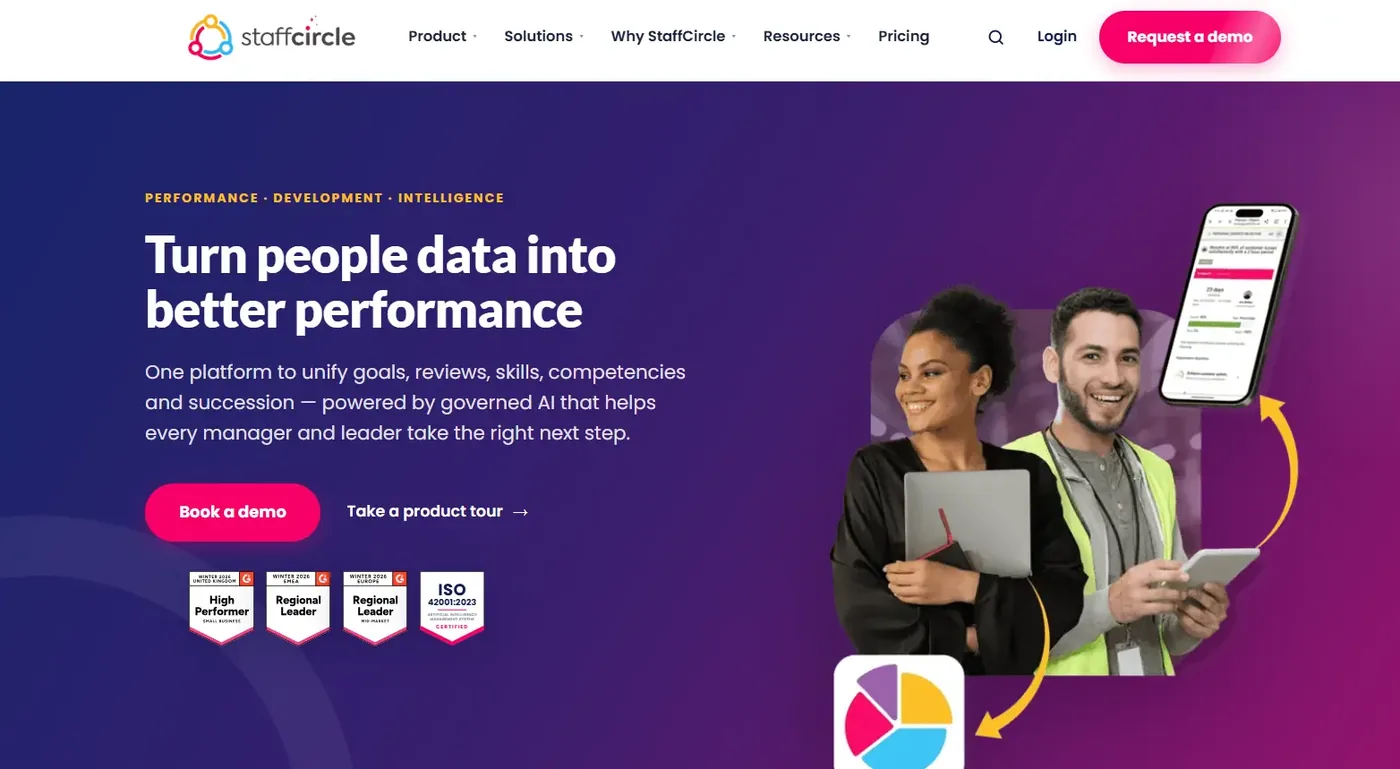
If this 15-question framework has shown how many gaps standard HR tools leave, you aren’t alone. Most platforms were built for desk-bound employees, require endless administrative chasing, and treat AI as an afterthought.
StaffCircle was built specifically to solve the real-world operational friction that causes performance software implementations to fail.
Instead of forcing your HR team to trade usability for security or adoption for feature depth, StaffCircle delivers an all-in-one platform built to answer "yes" to every critical vendor question:
| Key feature | Operational benefit | StaffCircle advantage |
|---|---|---|
| 100% workforce inclusion | Connects frontline, field, and remote staff on any device. | Mobile web app with SSO for any phone. No Office 365 licence needed. |
| Zero manual chasing | Eliminates manual HR reminder emails and spreadsheet tracking. | Automated scheduling and notification workflows achieve up to 96% on-time review completion. |
| ISO 42001-certified AI | Prevents corporate evaluation data leaks to third-party models. | AI Assist runs on Azure-approved models. Data stays in-region with a human in the loop. |
| Dynamic talent mobility | Replaces static, manual 9-box grids with real-time skill insights. | Success Circles for automated competency mapping and instant succession planning. |
Why high-growth teams and enterprise leaders choose StaffCircle
- 96% on-time review completion: Stop playing review detective. StaffCircle’s automated scheduling and notification engine nudges managers and peers automatically, eliminating manual HR reminder emails.
- Equal access for deskless and field staff: Give frontline employees full mobile app access without buying extra Office 365 licences.
- ISO-certified AI and plain-English analytics: Ask questions like "Show me our engineering skills gaps" or "Generate a department appraisal report" in plain English. AI Assist generates instant analytics, backed by ISO 42001 AI certification and ISO 27001 security certification.
- Dynamic competency mapping: Move beyond outdated annual 9-box grids. StaffCircle’s Success Circles show performance, potential and succession readiness in real time.
Wrapping up
Choosing the right employee performance evaluation software comes down to selecting a system that balances employee adoption, automated review workflows, robust security, and real business value.
StaffCircle unites performance appraisals, 1:1 check-ins, continuous feedback, dynamic skill mapping, and frontline mobile engagement in a single platform, delivering up to 96% on-time review completion and up to 90% less performance admin.
Ready to see how StaffCircle performs against these 15 questions in real time?
Book your personalised StaffCircle demo today
Frequently asked questions (FAQs)
What is employee performance evaluation software?
Employee performance evaluation software is a digital HR platform designed to track, measure, and manage employee performance, goals, and professional development. It replaces paper reviews and spreadsheets with automated workflows for continuous 1:1 check-ins, OKR and SMART goal tracking, 360-degree feedback, and real-time performance analytics.
What features should good performance evaluation software have?
Key features to prioritise during vendor evaluations include continuous 1:1 feedback logging, automated review scheduling, and dynamic OKR and SMART goal tracking. Also look for native mobile access for non-desk workers, pre-built HRIS integrations, and governed AI analytics to streamline talent management.
How much does performance evaluation software cost?
Pricing typically starts from around £3.85 per employee per month, alongside a one-time setup or onboarding fee depending on organisational size. Dedicated platforms like StaffCircle offer clear, customised annual subscriptions tailored to your headcount and required feature modules, with modular pricing and no per-user AI fees.
How long does implementation usually take?
Implementation generally takes 2 to 6 weeks for small to mid-market businesses, and 8 to 12 weeks for enterprise organisations with complex global structures. Systems built with native HRIS and single sign-on integrations deploy significantly faster than platforms requiring custom API middleware.
Does it integrate with HRIS, payroll, and tools like Slack or Teams?
Yes. Modern platforms integrate with core HRIS databases such as IRIS, BambooHR, and Personio. StaffCircle integrates natively with Microsoft Teams and connects to Slack via Power Automate or Zapier, with 30+ pre-built integrations that sync employee records automatically and deliver review notifications inside existing daily workflows.
How does performance evaluation software reduce bias in reviews?
Evaluation software mitigates manager recency bias and subjective scoring by capturing continuous performance notes throughout the year rather than relying on memory. Multi-rater 360-degree feedback aggregates diverse peer insights, while governed AI assistants help managers draft objective, evidence-based feedback before reviews are finalised.
Is performance evaluation software suitable for small businesses?
Yes. Adopting performance review software for small business early prevents administrative bottlenecks as headcount grows. It gives lean HR teams standardised appraisal templates, clear goal tracking, and automated reminders, delivering enterprise-grade performance management without high administrative overhead.
How do you get managers and employees to actually use the new system?
High adoption requires removing daily workflow friction through native mobile apps and non-desk SSO access for field and frontline staff. Encouraging brief one-click check-ins rather than lengthy annual forms, combined with automated review reminder workflows, keeps engagement high across all departments.
Related articles


See StaffCircle in action
Book a personalised demo and see how StaffCircle drives performance, engagement and development.