From skills gap to certificate, in one platform
Watch a manager spot a skills gap in a one-to-one, assign a training objective by skill and level, and see the employee’s completion and certificate land on their profile automatically.
Ready-made courses, in your library
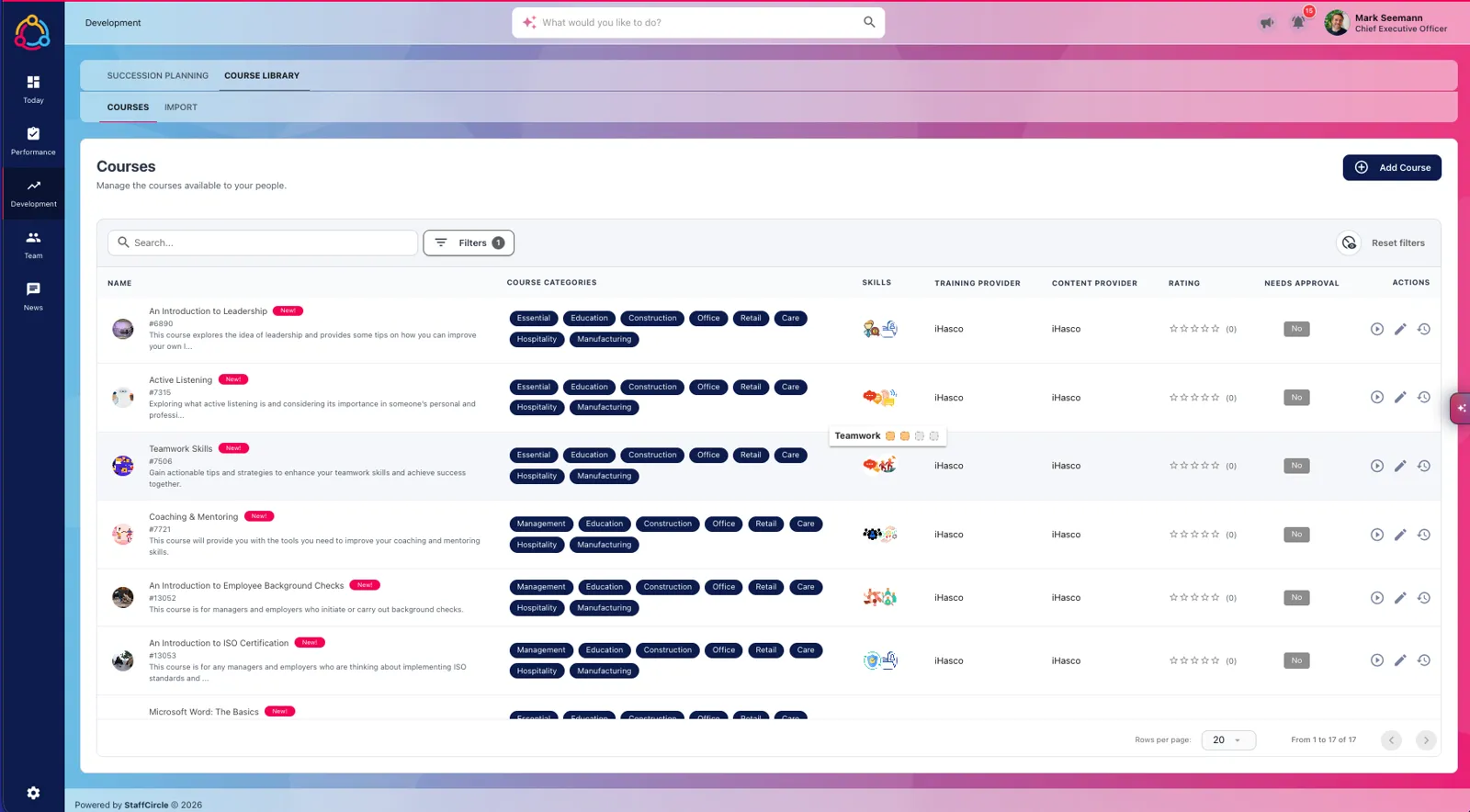
Connect our training content partners and their compliance, health & safety and soft-skills courses sync straight into your Course Library.
Use a licence you already have, or buy courses through StaffCircle at a discounted rate. Each course arrives with its image, learning outcomes, duration, lessons, pass mark and retake frequency, ready to assign and report on next to the rest of your training.
- Sync the courses you pick, a whole licence, or chosen categories and languages
- Autosync keeps the library up to date as courses change
- AI links every course to two to four of your existing skills
Start from the skill, not the course
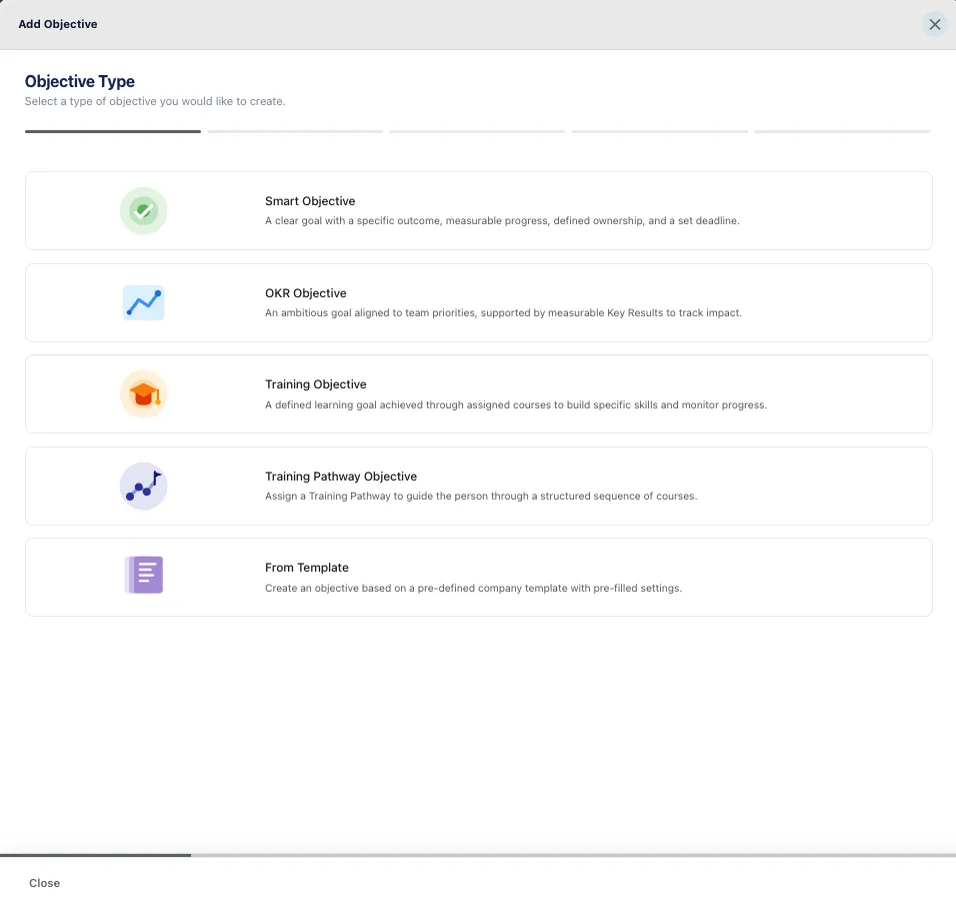
Spot a gap in a one-to-one or review, then create a training objective by choosing the skill and level the role needs.
StaffCircle shows every course that builds that skill at that level, so the right training is one click away. The objective sits inside the review, and the employee sees it in their own objectives straight away.
- Training Objective and Training Pathway Objective types
- Courses filtered by skill and level from your competency framework
- Progress visible to the employee, the manager and HR
No second login. No separate LMS.
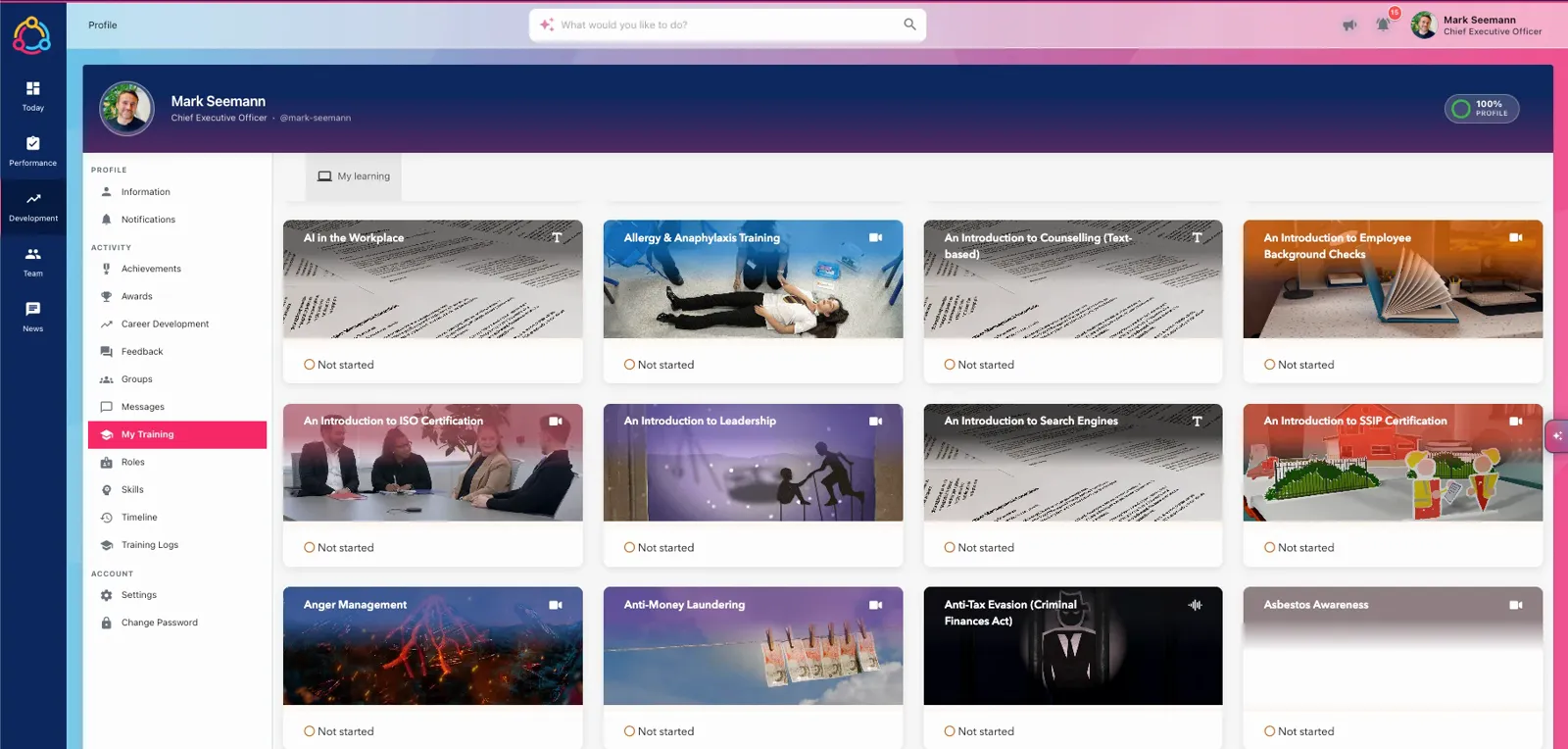
Every employee gets a My Training page on their profile, opening their courses right where they manage the rest of their development.
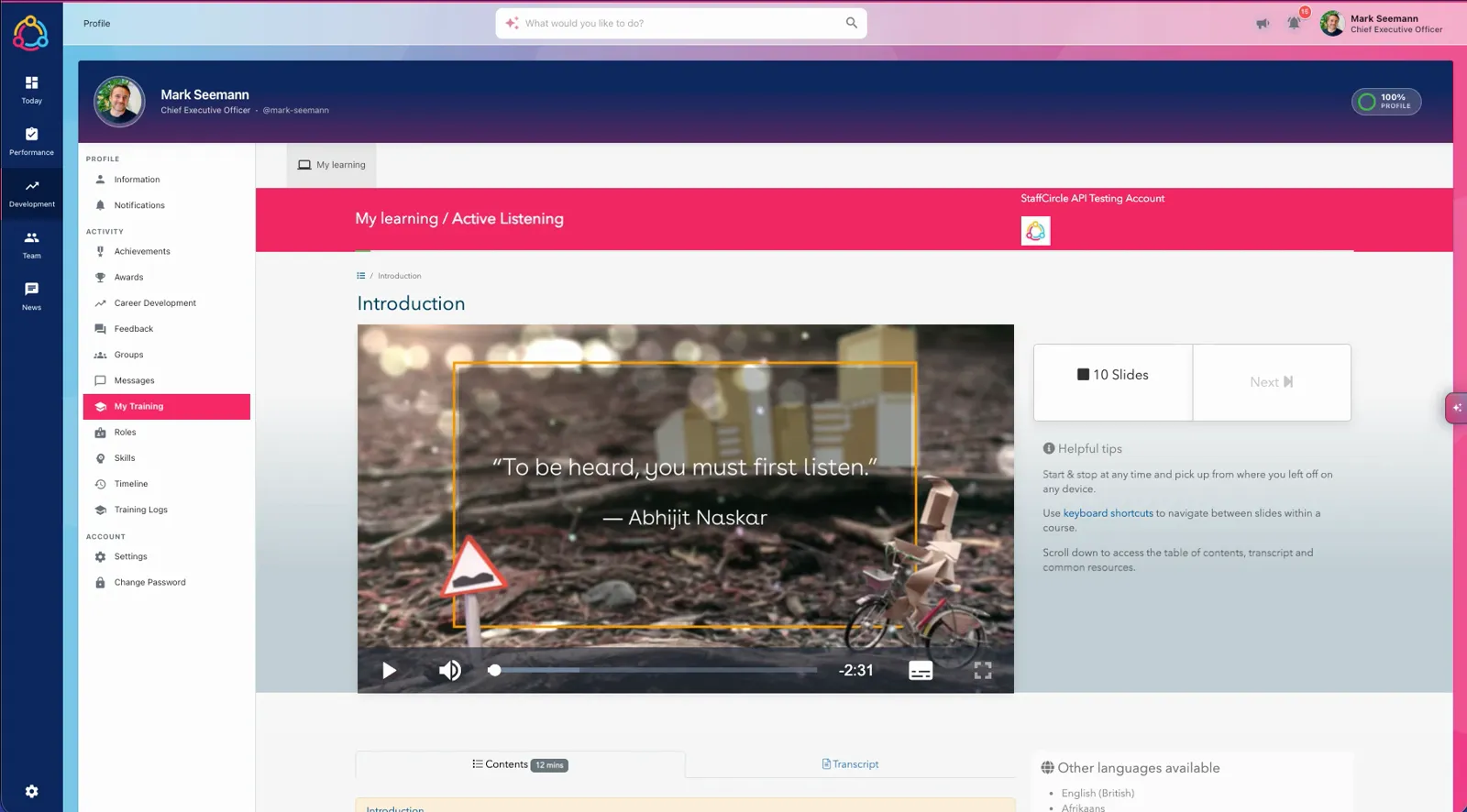
People find, start and finish courses without leaving StaffCircle, with video, text and audio courses that pick up where they left off on any device. If a browser blocks the embedded sign-in, an Open in new tab button appears instead.
- My Training sits on each profile and under My Development
- Courses play in StaffCircle with contents, transcripts and other languages
- Training Logs keep the full history on the same profile
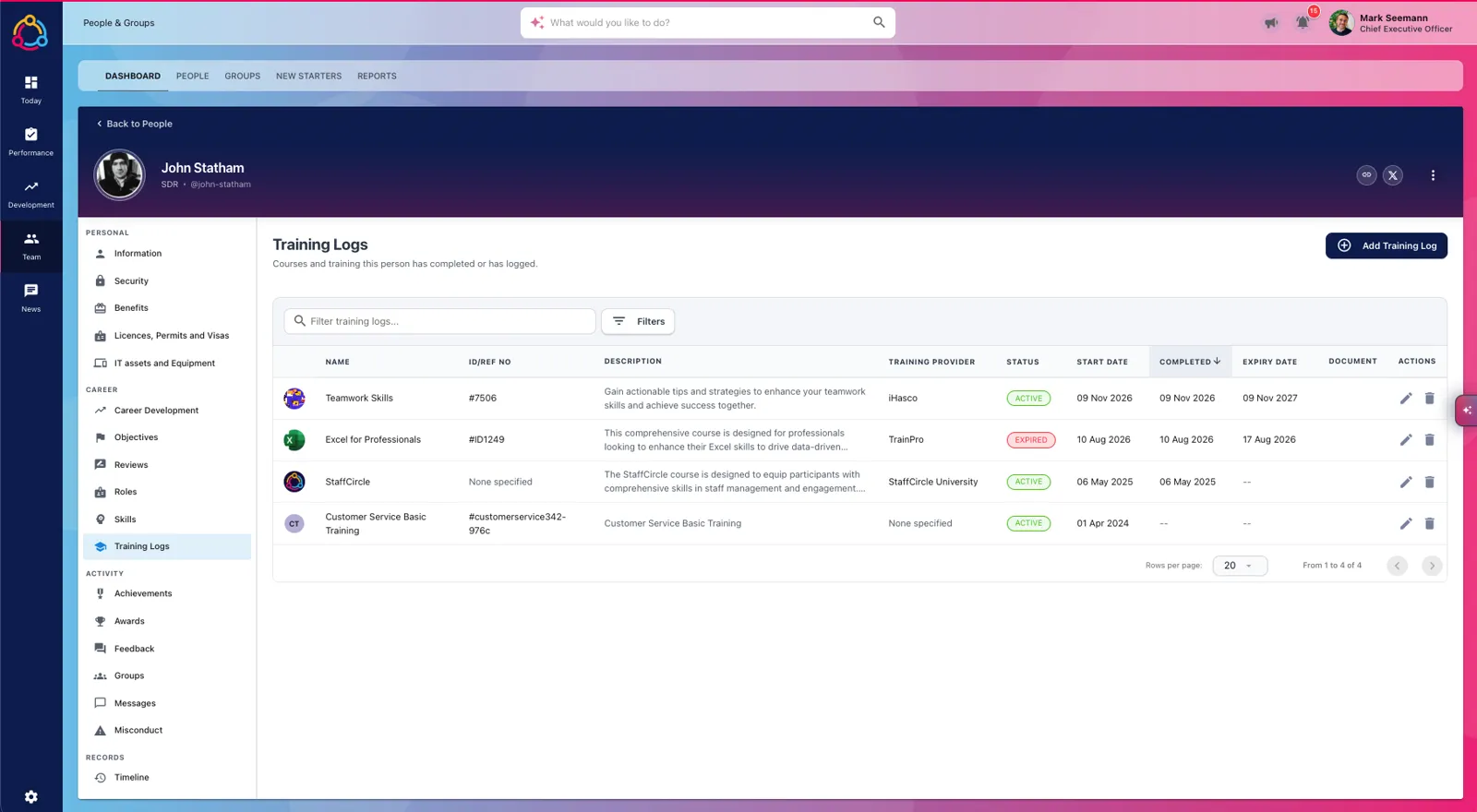
Pass the course. The record writes itself.
When someone passes a course, StaffCircle creates the training log within about ten minutes, with the certificate attached.
Nobody uploads a certificate or updates a spreadsheet by hand. The log records the completion date, score and an expiry date from the course’s retake frequency, the matching objective is set to 100%, and the manager is notified.
- People matched by email address, no manual mapping
- Certificate PDFs kept in a protected folder on the log
- Proof of training stays even if you later disconnect a partner
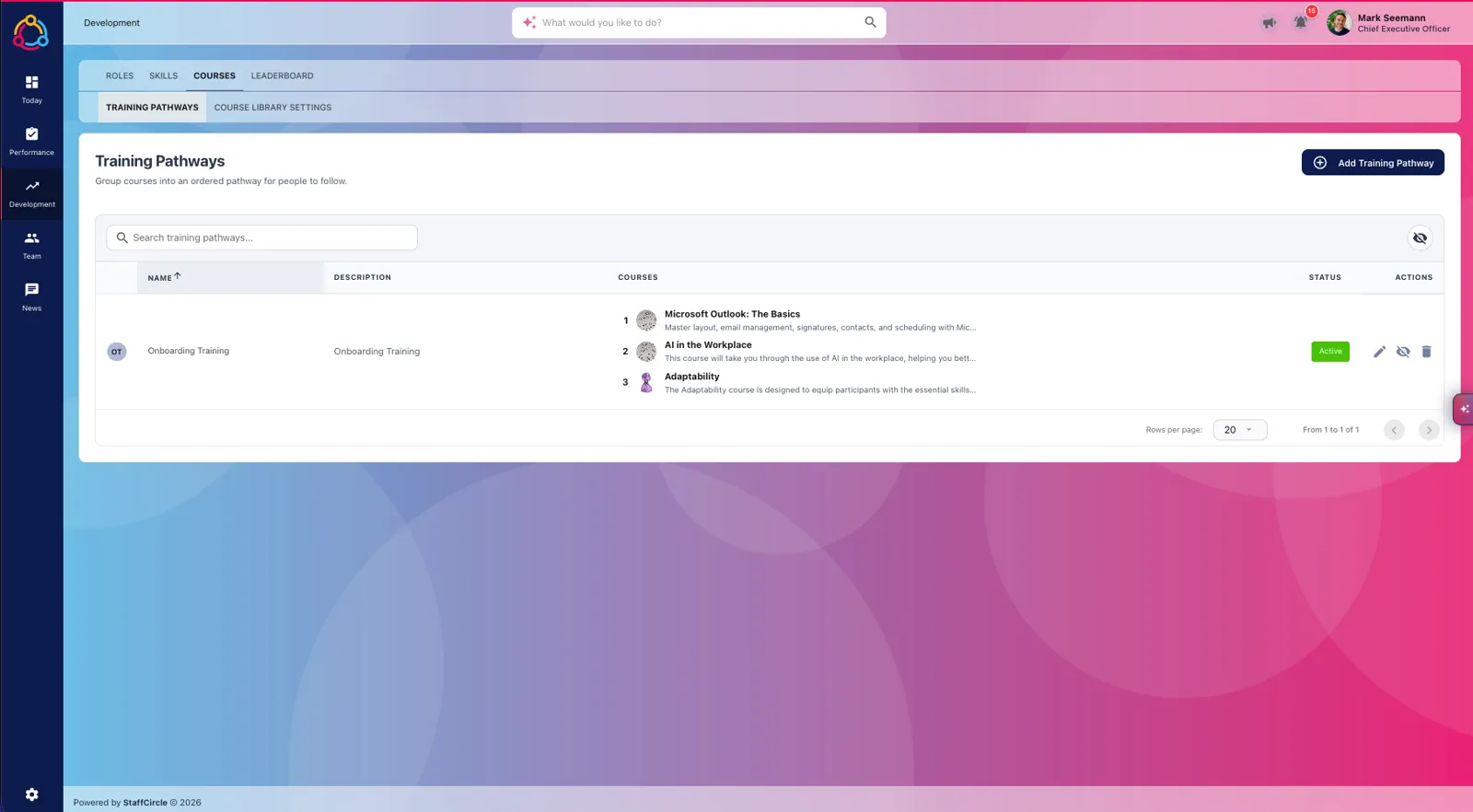
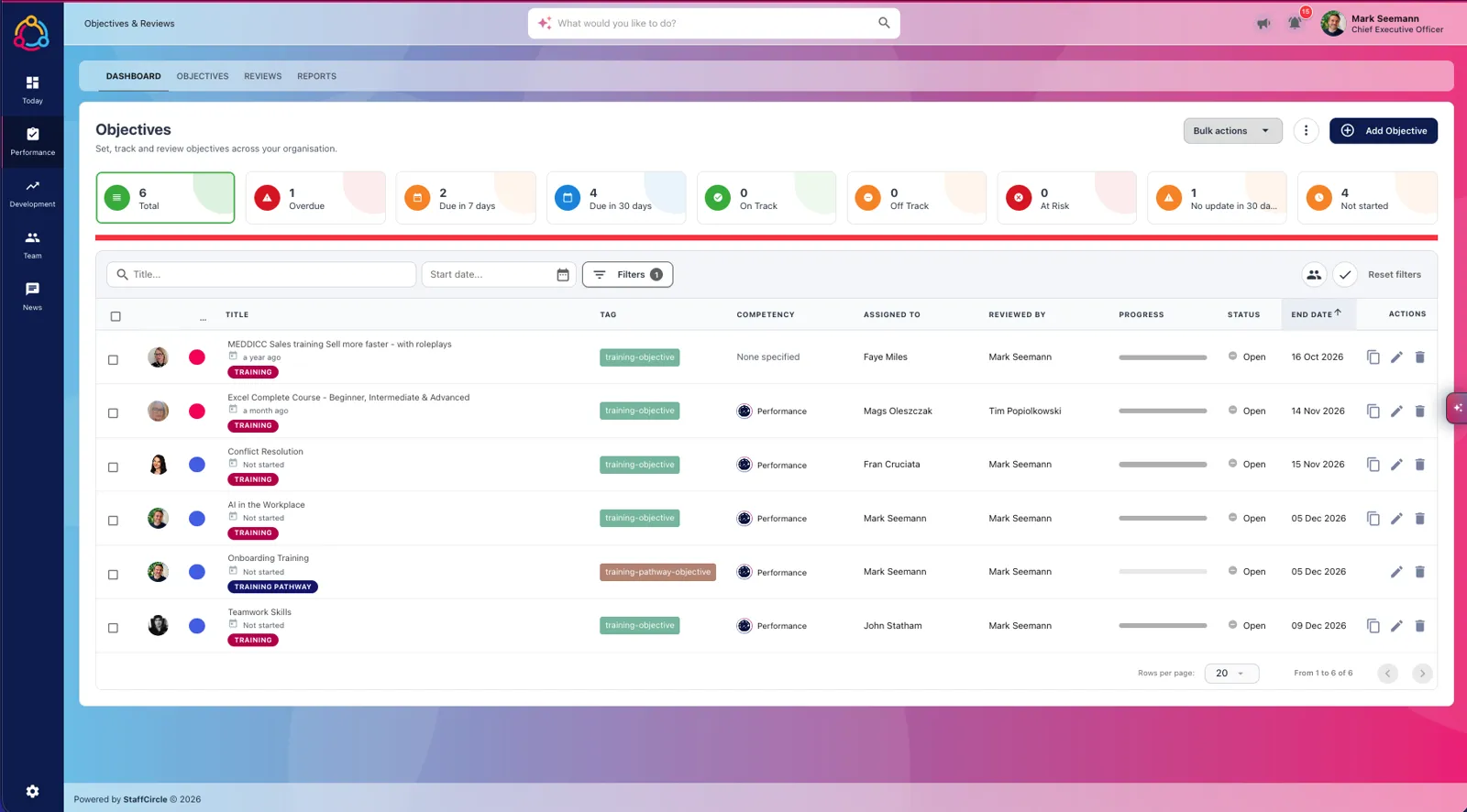
Whole programmes, assigned as one objective
Group courses into an ordered Training Pathway, such as onboarding, probation or a compliance refresher, then assign it in one go.
Pathways work with every course in your library, not just partner courses. Drag courses into order, publish the pathway, and progress is tracked course by course inside a single objective.
- Name, describe and order the courses in each pathway
- Assign to new starters automatically during onboarding or probation
- Pathway objectives sit next to SMART and OKR objectives
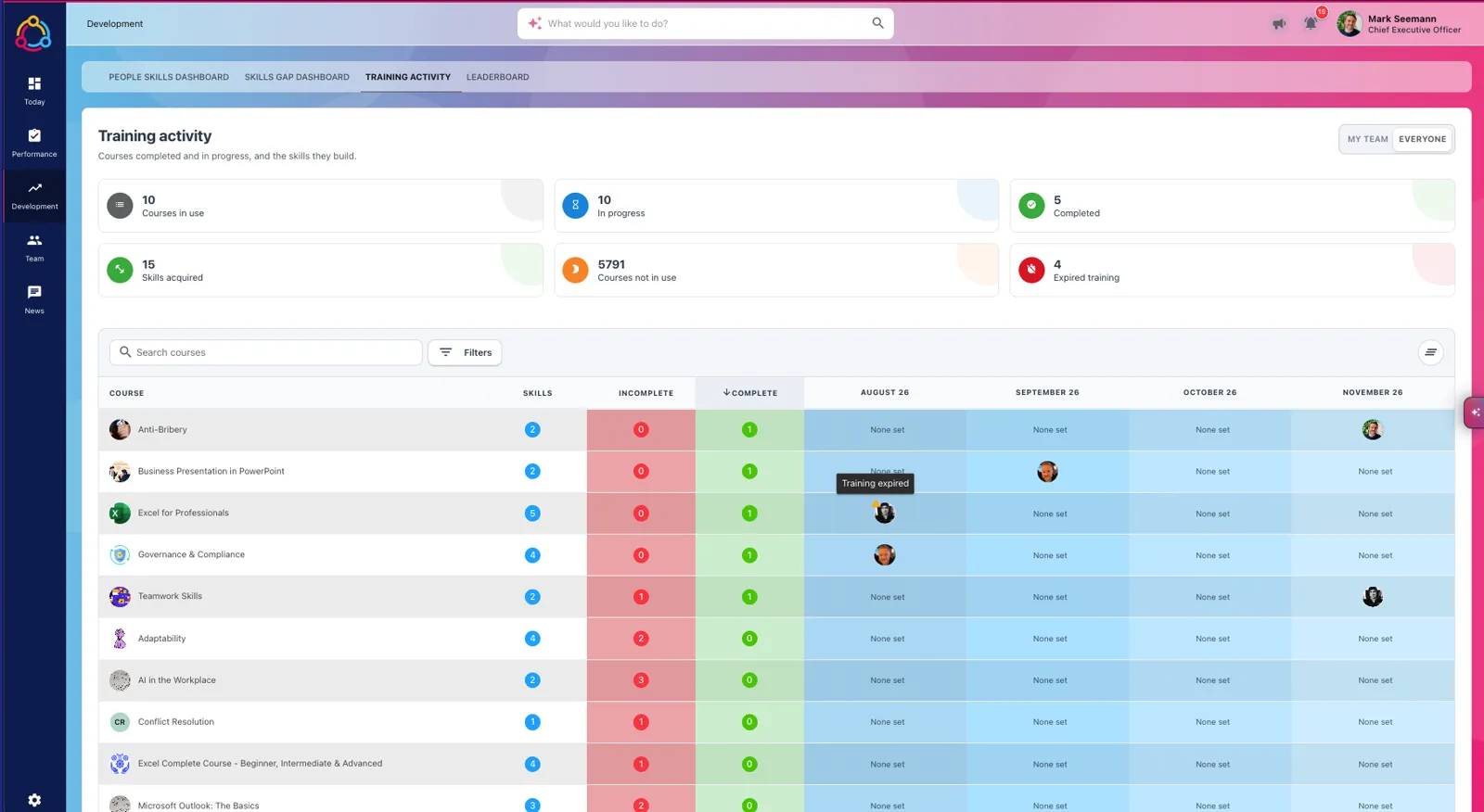
See what everyone is learning
The Training activity dashboard shows courses in use, in progress and completed, the skills they have built, and training that has expired.
Filter by your team or everyone, see who completed what each month, and spot expired training before an audit does. Because every course is linked to skills, learning shows up in your skills-gap analysis too.
- Courses in use, in progress, completed and expired at a glance
- Monthly completions by course and by person
- Skills acquired through training feed your skills dashboards
How integrated training works
Four steps from switching it on to audit-ready training records.
Connect and choose courses
Connect your partner licence or buy courses through StaffCircle, then pick which courses to sync.
Courses link to skills
AI maps each course to the skills in your framework, so training lines up with every role.
Assign by skill or pathway
Create a training objective from a skill gap, or assign a whole pathway for onboarding or compliance.
Records log themselves
Completions, scores, expiry dates and certificates are recorded automatically, and managers are notified.
Integrated training FAQs
What are integrated training courses in StaffCircle?
Integrated training courses are ready-made online courses from StaffCircle's training content partners that run inside StaffCircle. They sync into your Course Library, people take them from their own profile with no second login, and every completion comes back as a training log with the certificate attached.
What kind of courses are available?
The partner library covers more than 250 workplace courses across health and safety, HR, compliance and soft skills, such as manual handling, anti-bribery, active listening, teamwork and leadership. You choose which licensed courses to sync, filtered by category and language.
Do we need an existing account with the training provider?
No. If you already have a licence, connect it to StaffCircle with an API key. If you don't, you can buy courses directly through StaffCircle at a discounted rate. Either way the courses arrive in your Course Library ready to assign, track and report on.
How are courses linked to skills?
StaffCircle's AI links each course to two to four of the skills already in your framework, matching by meaning as well as name, so you don't end up with duplicate skills. Managers can then pick a skill and level and see every course that builds it.
How are completions and certificates recorded?
When someone passes a course, StaffCircle picks it up within about ten minutes and creates the training log for them, with the completion date, expiry date from the course's retake frequency, score and certificate PDF. Any open training objective for that course is set to 100% at the same time.
What is a Training Pathway?
A Training Pathway groups courses from your Course Library into an ordered programme, such as onboarding, probation or a compliance refresher. You assign the whole pathway as one objective, and progress is tracked course by course.
Related StaffCircle features
Ready to make training part of everyday work?
See integrated courses, skills-led objectives, Training Pathways and automatic certificates working together in your own StaffCircle demo.