7 Best 1:1 Check-In Software for Hybrid Teams
For hybrid organisations, a good one-to-one meeting is more than a recurring calendar invitation. It is a structured opportunity to discuss performance, workload, feedback, development, well-being and priorities and to turn the conversation into a clear next step.
That becomes harder when managers support people across offices, home-working arrangements, multiple sites or frontline environments. A manager may have one process for office-based employees, another for remote staff and little visibility of what is happening across frontline teams.
This is where one-to-one meeting software can help.
The best platforms provide more than scheduling. They give managers and employees shared agendas, structured 1:1 check-ins, feedback workflows, action tracking, meeting history and, increasingly, AI-assisted meeting support. Some also connect 1:1 conversations directly to objectives, performance reviews, skills and development.
What Is 1:1 Check-In Software?
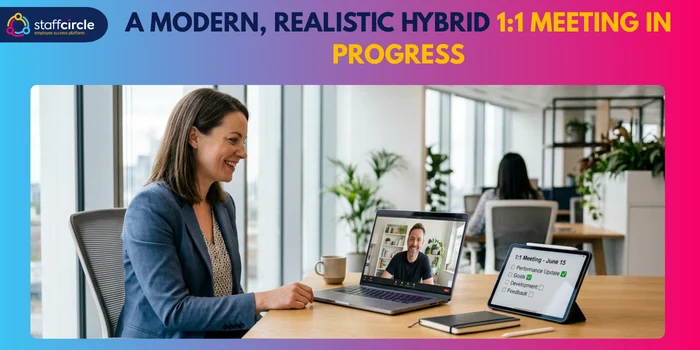
One-to-one meeting software helps managers and employees prepare for, conduct and follow up on recurring manager-employee meetings.
Instead of keeping agendas in Word documents, notes in notebooks and actions in email, the platform provides a central workflow for the conversation.
Depending on the product, this can include:
- recurring 1:1 schedules
- shared agendas
- employee and manager talking points
- structured questions
- private or shared notes
- feedback
- recognition
- action items
- goal tracking
- performance history
- development discussions
- meeting reminders
- reporting
- AI-generated notes and summaries.
The purpose is not to make every conversation identical. It is to make sure important conversations happen consistently and that agreed actions do not disappear afterwards.
Acas recommends regular informal performance conversations alongside formal reviews, including regular feedback, coaching and one-to-one meetings. It also recommends keeping a written record of performance discussions and sharing it with the employee.
How Is 1:1 Software Different From a Calendar or Video Meeting Tool?
Calendar software schedules the conversation; 1:1 software helps structure, document and follow up on the conversation.
Microsoft Outlook, Google Calendar, or a video platform can tell a manager when a meeting is taking place. They do not necessarily provide a consistent framework for what should be discussed, what happened previously or what needs to happen next.
A 1:1 platform adds that management layer.
How Can 1:1 Software Connect Meetings With Performance and Development?
The most useful platforms connect conversations with the wider employee lifecycle.
A manager might discuss a performance objective in January, identify a skills gap in February, agree a development action in March and revisit progress in April.
If those conversations remain disconnected, the organisation loses valuable context.
Acas similarly recommends using performance discussions to consider objectives, behaviours, development plans, training and support.
Why Do Hybrid and Frontline Teams Struggle to Maintain Consistent 1:1 Check-Ins?
Hybrid working introduces more flexibility, but it can also make informal management harder.
Common problems include:
- Inconsistent Meeting Cadence: Weekly, fortnightly or monthly meetings can gradually become irregular when managers are balancing competing priorities.
- Managers Forgetting or Cancelling 1:1s: If a 1:1 has little structure or visibility, it can be perceived as easier to postpone than operational meetings.
- Lack of a Consistent Agenda: One manager may discuss development and feedback every week, while another uses the same meeting primarily for status updates.
- Action Items Getting Lost After the Meeting: Actions written in notebooks, emails or chat messages are easy to forget.
- Frontline Employees Without Regular Access to Desktop Tools: Deskless workers may not have the same access to laptops, corporate email or collaboration platforms as office-based employees.
- Managers Using Different Processes Across Teams: This makes it harder for HR to establish a consistent employee experience.
- 1:1s Becoming Status Updates Instead of Performance Conversations: A good 1:1 should create space for coaching, feedback, development and problem-solving, not simply repeat information available elsewhere.
- Remote Managers Missing Informal Feedback Opportunities: When employees and managers are not physically together, spontaneous conversations become less frequent.
This is one reason structured workflows matter. Breathe's UK guidance similarly emphasises preparation, feedback, development, goals and documenting actions rather than treating 1:1s simply as informal catch-ups.
What Should You Look for in One-to-One Meeting Software?
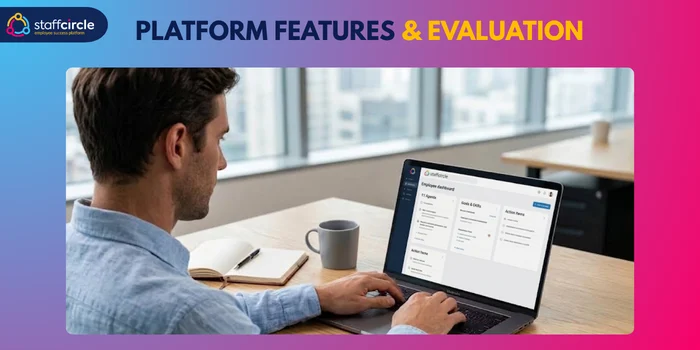
Before comparing vendors, HR leaders should establish what the organisation actually needs.
1. Structured 1:1 Agendas
Look for:
- custom questions
- templates
- shared talking points
- employee input
- manager input
- previous meeting context.
2. Recurring Check-In Workflows
The software should support the cadence appropriate to your organisation — whether weekly, fortnightly, monthly or a mixture.
3. Feedback and Recognition
Good 1:1s should make two-way feedback easier rather than turning feedback into a once-a-year exercise.
4. Action Items and Follow-Up
Actions should have owners, deadlines and visibility at subsequent meetings.
5. Performance and Goal Alignment
Can managers see relevant objectives, KPIs or OKRs during the conversation?
6. Employee Development
Look for links between 1:1 discussions, skills, career goals, training and development plans.
7. Mobile and Frontline Access
This can be critical for organisations with manufacturing, retail, construction, facilities, healthcare or field-based workers.
8. Microsoft Teams and Slack Integrations
Integrations reduce friction by allowing employees and managers to access reminders or add talking points without constantly switching systems.
9. AI-Assisted Meeting Support
AI can reduce administrative work through transcription, summaries and action extraction, but it also introduces privacy and governance questions.
10. Privacy and Data Controls
HR leaders should understand where meeting data is stored, who can access it, how long it is retained and whether AI processes meeting content.
11. Reporting and Adoption Analytics
HR should be able to understand whether the process is actually being adopted rather than simply purchasing another tool.
7 Best 1:1 Check-In Software for Hybrid Teams
1. StaffCircle: Best for Frontline and Hybrid Performance Management
StaffCircle is particularly relevant for organisations that do not want 1:1 meetings to sit separately from performance, development and employee engagement.
Its Performance Management module includes One2One check-ins, monthly and quarterly reviews, SMART objectives, 360 appraisals, real-time feedback, competency alignment and dashboards.
Best For: Organisations with hybrid, frontline or deskless employees that want 1:1 conversations connected to broader performance management.
Key 1:1 Features: StaffCircle combines 1:1 check-ins with objectives, feedback, reviews, competencies and reporting. This gives managers a way to connect day-to-day conversations with longer-term performance.
Frontline and Mobile Experience: This is one of StaffCircle's strongest differentiators.
Its current platform describes a mobile-friendly performance experience available through SSO on devices, designed to remove barriers to employee access. That matters when some employees do not work at a desk or spend their working day inside Microsoft 365.
Performance Alignment: The platform goes beyond meetings into objectives, reviews, feedback, competencies, development plans, skills, career pathways and succession planning.
AI Capabilities: StaffCircle's optional Notetaker includes automatic 1:1 updates, meeting classification, transcription, summaries, sentiment scoring and engagement-related meeting analysis. That creates an important distinction: AI can either reduce meeting administration or become involved in analysing employee conversations. HR teams should assess those uses separately.
Potential Limitations: Not every organisation needs a broader performance and development platform. StaffCircle's Notetaker is an add-on, and its pricing is modular, with annual billing and a minimum annual charge.
2. Personio: Best for 1:1s Within a Broader HR Platform
Personio is better understood as a broad HR platform rather than a specialist 1:1 application.
Its performance and development functionality supports feedback, performance management and 1:1-related workflows. Personio's own guidance recommends regular weekly, fortnightly or monthly conversations and provides structured templates covering discussion, notes and actions.
Best For: Companies wanting employee conversations connected to a broader HR system.
Key 1:1 Features: Templates, feedback, performance discussions, notes, action items and scheduling can be combined into a wider employee-management process.
Performance and HR Integration: The major advantage is the surrounding HR environment. HR leaders may prefer this approach when they want employee data and performance processes managed in one platform.
Manager Usability: The benefit of a broader system is centralisation. The trade-off is that a 1:1 process may not be the sole focus of the product.
Potential Limitations: Personio's own community provides useful evidence of real-world adoption questions. In one 2024 discussion, an HR user reported that a custom 1:1 template was not being used much and asked the community for ways to improve adoption.
3. Zelt: Best for Practical 1:1 Workflows
Zelt positions 1:1s around practical conversations about performance, workload, blockers, feedback, recognition and career development. Its guidance also recommends recording actions, reviewing them at the next meeting and keeping recurring meetings on schedule.
Best For: Teams that want a straightforward workflow around preparing, conducting and following up on manager-employee meetings.
Key 1:1 Features: The approach centres on agendas, discussion topics, notes and actions rather than treating the meeting as simply another calendar event.
Structured Check-In Experience: Zelt recommends tailoring meeting frequency to the team (weekly, fortnightly or monthly) and using recurring meetings to maintain continuity.
Feedback and Action Tracking: The platform's 1:1 guidance emphasises feedback, recognition, blockers and clear owners and deadlines for actions.
Potential Limitations: Compared with platforms such as StaffCircle, Lattice or Leapsome, buyers should assess how deeply they need 1:1 conversations connected to wider performance, skills and development workflows.
4. Breathe HR: Best for UK-Centred HR Management
Breathe HR is a useful fit for UK organisations looking for 1:1 functionality within straightforward HR management software.
Breathe HR explicitly supports performance management, objectives, continuous feedback and scheduled 1-2-1s.
Best For: UK SMEs wanting 1:1s alongside core HR administration.
Key 1:1 Features: Breathe allows organisations to schedule 1-2-1s and keep performance conversations, outcomes and follow-up actions in one place.
Feedback and Performance Workflows: Its performance functionality includes goals, continuous feedback, 1-2-1s and appraisal processes.
HR Management Integration: This is where Breathe has an advantage: 1:1s sit alongside employee records, absence, holiday and other HR processes.
Manager Experience: Breathe positions itself around simplicity and is designed for UK SMEs rather than enterprise-scale HR complexity.
Potential Limitations: Organisations with complex performance, competency, AI or succession requirements may need a more specialised performance-management platform.
5. Leapsome: Best for Structured 1:1s and Performance Alignment
Leapsome has a particularly mature meeting workflow.
It supports collaborative agendas, templates, talking points, action items and meeting history. Agendas can be connected to relevant goals or OKRs.
Best For: Organisations that want 1:1 conversations closely connected to goals, feedback and performance.
Key 1:1 Features: Managers and employees can contribute to collaborative agendas, record actions and maintain an accessible history of meetings.
Slack and Teams Workflow: Leapsome integrates with Slack and Microsoft Teams, including reminders and meeting-related workflows. Its Slack integration allows users to add talking points directly from Slack.
AI Meeting Assistant: Leapsome's AI meeting assistant can transcribe conversations, capture action items and produce summaries, with built-in consent.
Performance and Goal Alignment: Managers can display relevant goals or OKRs alongside meeting agendas, making it easier to connect conversations with organisational priorities.
Potential Limitations: Leapsome's breadth can make it more appropriate for organisations looking for a broader employee experience and performance platform than for teams wanting a lightweight meeting-only tool.
6. Lattice: Best for 1:1s Connected to Performance Management
Lattice is particularly strong when 1:1 meetings form part of a broader continuous performance process.
Lattice describes workflows where goals, feedback, action items and previous meeting context can feed into future 1:1s.
Best For: Organisations wanting 1:1s connected to performance reviews, goals and development.
Key 1:1 Features: Lattice supports recurring and ad-hoc 1:1s, meeting history, private notes, action tracking and calendar integration.
Performance Alignment: Its approach is particularly focused on avoiding the disconnect between everyday conversations and formal performance reviews.
AI Capabilities: Lattice launched its AI Agent for 1:1s in June 2026. It can capture conversation elements, create structured notes, identify action items, suggest agenda topics and provide coaching insights, with support for Zoom, Google Meet and Microsoft Teams.
Video and Calendar Integrations: The AI Agent supports Zoom, Google Meet and Microsoft Teams, alongside Google Calendar and Outlook.
Potential Limitations: There have been some user concerns around interface complexity and calendar integration, particularly Outlook, although these should be validated against the current product during a trial.
7. 15Five: Best for Guided Manager-Employee Conversations
15Five focuses heavily on helping managers make 1:1s more useful.
Its current 1-on-1 functionality supports guided agendas, priorities, challenges, talking points, notes and action items.
Best For: Organisations that want managers to have a repeatable structure for productive conversations.
Key 1:1 Features: Managers and employees can add agenda items throughout the week, discuss priorities and challenges, and convert discussion into action.
Guided Conversations: 15Five's approach is deliberately designed to prevent 1:1s from becoming routine status meetings. Its guidance emphasises goals, challenges, feedback and development.
Feedback and Accountability: Action items can be created and reassigned directly within 1:1 agendas.
Manager Experience: The strength is the simplicity of the conversation workflow: prepare, discuss, record actions and follow up.
Potential Limitations: Organisations primarily looking for frontline/mobile-first performance management or a comprehensive HRIS may need to compare 15Five with platforms that place more emphasis on those areas.
Which 1:1 Software Is Best for Frontline and Deskless Employees?
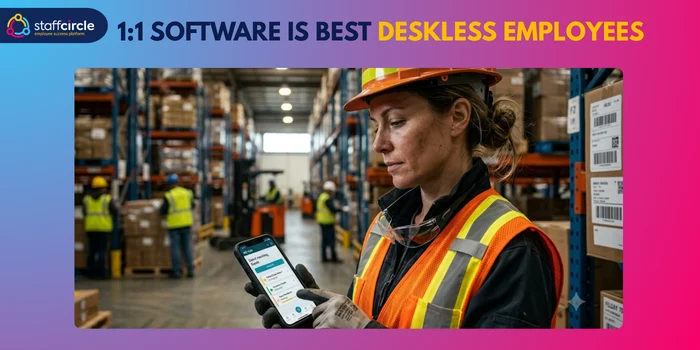
Frontline 1:1s are different from office-based meetings.
An employee working on a production line, in a warehouse, at a customer site or across multiple locations may not have continuous access to a corporate laptop, email account or Teams.
HR should therefore ask:
Why Are Frontline 1:1s Different From Office-Based 1:1s?
The process needs to work around shifts, locations and mobile access rather than assuming employees sit at a desk.
Do Employees Need a Corporate Email Address?
This should be tested during implementation. Do not assume that an employee's access model is identical to that of an office worker.
Does the Platform Offer Mobile-First Access?
This is a major differentiator for frontline teams.
StaffCircle explicitly positions its platform around mobile-friendly performance processes accessible across devices.
Can Employees Complete Check-Ins From a Personal Mobile Device?
Ask vendors about authentication, security, access controls and whether personal-device use is supported by the organisation's policies.
Can Managers Run Check-Ins Across Multiple Sites or Shifts?
Look for dashboards, employee segmentation and reporting that allow managers to maintain consistency across distributed teams.
Which Platforms Support Frontline Performance Alignment?
StaffCircle is particularly relevant where frontline 1:1s need to connect with objectives, performance reviews, feedback, competencies and development.
Which 1:1 Software Works Best for Hybrid and Remote Teams?
For hybrid and remote teams, the critical question is not simply whether the meeting can happen online.
It is whether the conversation remains consistent when people are working in different locations.
Look for the ability to:
- add talking points before meetings
- review previous conversations
- carry actions forward
- integrate calendars
- support asynchronous preparation
- maintain consistent templates
- connect meetings with goals
- provide reminders without creating unnecessary administration.
Leapsome, for example, allows talking points to be added through Slack and supports calendar integrations, while 15Five allows employees and managers to add topics to collaborative agendas.
Which 1:1 Platforms Integrate With Microsoft Teams and Slack?
Integrations matter because adoption often suffers when employees have to leave the tools they use every day.
Microsoft Teams Integrations
Leapsome supports Microsoft Teams notifications and reminders, while Lattice's AI Agent supports meetings held through Microsoft Teams.
StaffCircle also lists Microsoft Teams and Microsoft 365 among its integrations.
Slack Integrations
Leapsome has particularly strong Slack functionality, including adding 1:1 talking points directly from Slack.
Lattice also supports Slack workflows for feedback and performance processes.
How Does AI Improve 1:1 Meetings?
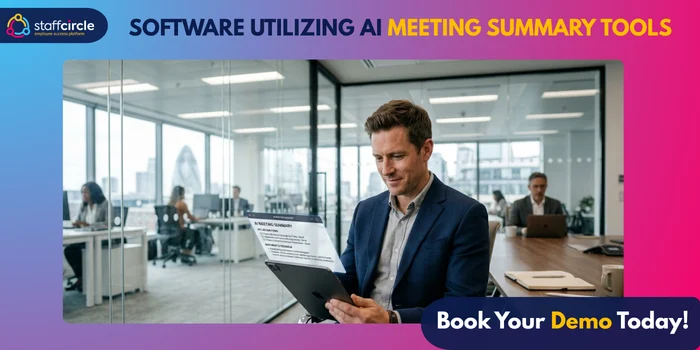
AI is becoming an important differentiator in 1:1 software, but HR leaders should distinguish between two very different uses.
AI That Reduces Administration
This includes:
- meeting transcription
- summaries
- action-item extraction
- agenda suggestions
- automatic updates
- meeting history.
AI That Analyses Employee Conversations
This can include:
- sentiment analysis
- engagement signals
- coaching insights
- risk detection
- patterns across conversations.
The second category deserves much more scrutiny.
StaffCircle's Notetaker, Leapsome's AI Meeting Assistant and Lattice's AI Agent all demonstrate how AI is moving beyond simple scheduling into meeting capture and analysis.
What Are the Privacy Risks of AI-Powered 1:1s?
This is an important UK consideration.
If 1:1 conversations are recorded, transcribed or analysed, HR needs to understand the lawful basis, transparency, access controls, retention, security and purpose of the processing.
The ICO states that worker monitoring must be lawful and fair and that organisations should consider transparency, data protection principles and, where appropriate, a Data Protection Impact Assessment. Its guidance also notes that employers increasingly use data analytics to infer worker performance and well-being.
That means an HR team should not treat AI transcription as merely a productivity feature.
Ask:
- Is recording optional?
- Is consent or another lawful basis required?
- Who can access transcripts?
- Are transcripts retained?
- Can employees challenge or correct information?
- Is employee data used to train AI models?
- Where is data processed?
- What controls exist for sensitive information?
- What happens if an AI system produces an inaccurate interpretation?
For UK employers, these questions should be resolved before rolling AI meeting analysis out across the workforce.
What Are the Most Common 1:1 Software Adoption Problems?
Buying software does not automatically create better conversations.
- Managers Don't Know What to Discuss: Templates and coaching guidance can help, but managers still need training.
- Managers See 1:1s as Extra Administration: If the platform adds documentation without making the conversation easier, adoption may suffer.
- Employees Don't Add Talking Points: Shared agendas work best when both participants contribute.
- 1:1s Become Status Meetings: Managers should use dashboards and project-management tools for routine status information where possible, leaving 1:1 time for coaching, feedback and problem-solving.
- Action Items Aren't Followed Up: A good platform should surface unfinished actions rather than allowing them to disappear.
- HR Cannot See Whether 1:1s Are Happening: Adoption reporting can help HR identify teams where the process is not working.
- Frontline Employees Struggle With Access: Mobile accessibility should be tested with real frontline users before launch.
- Different Managers Use Completely Different Processes: Some flexibility is healthy, but HR should define minimum standards.
The lesson is broader than any individual platform: a successful 1:1 process needs manager enablement, employee participation and organisational reinforcement, not just software.
How Should HR Leaders Evaluate 1:1 Meeting Software?
Use a consistent evaluation framework:
- Manager Usability: Can a busy manager prepare for and complete a 1:1 quickly?
- Employee Experience: Can employees add their own topics and access previous commitments?
- Frontline Accessibility: Can people outside the corporate office use the platform effectively?
- Meeting Structure: Can HR create useful templates without making conversations robotic?
- Feedback Quality: Does the software support timely, two-way feedback?
- Performance Alignment: Can managers connect conversations with objectives, performance and development?
- Integrations: Does it fit with Microsoft Teams, Slack, calendars and existing HR systems?
- AI and Privacy: Are AI capabilities genuinely useful, transparent and appropriately governed?
- Reporting and Adoption: Can HR see whether 1:1s are actually happening and identify adoption gaps?
- Implementation and Change Management: What training, support and configuration are required?
Which 1:1 Software Should You Choose?
There is no universal winner because different organisations have different priorities.
1. Best for Frontline and Hybrid Teams: StaffCircle
Choose StaffCircle if your 1:1 strategy needs to connect frontline accessibility, performance, feedback, objectives and development.
2. Best for an Integrated HR Platform: Personio
Choose Personio if 1:1s are one part of a broader HR and performance environment.
3. Best for Practical 1:1 Workflows: Zelt
Choose Zelt if your priority is straightforward conversations, preparation, follow-up and action tracking.
4. Best for UK HR Management: Breathe HR
Choose Breathe if you are a UK SME looking for straightforward HR management with performance conversations and 1:1s included.
5. Best for Structured Performance Conversations: Leapsome
Choose Leapsome if you want collaborative agendas, goals, feedback, action tracking and Slack/Teams workflows.
6. Best for Performance and Talent Management: Lattice
Choose Lattice if you want 1:1s deeply connected to goals, feedback, development and performance reviews, particularly if AI meeting assistance is important.
7. Best for Guided Manager Conversations: 15Five
Choose 15Five if you want managers and employees to have a clear, repeatable conversation structure with talking points and action items.
Frequently Asked Questions
What is the best one-to-one meeting software?
The best option depends on your use case. StaffCircle is particularly suited to organisations wanting 1:1s connected to performance and development, while Leapsome, Lattice and 15Five are strong options for structured performance conversations.
What is the best 1:1 software for hybrid teams?
Look for collaborative agendas, recurring workflows, meeting history, action tracking, calendar integrations and mobile accessibility. StaffCircle, Leapsome, Lattice and 15Five are particularly relevant depending on your wider requirements.
What is the best 1:1 software for frontline workers?
Prioritise mobile access, simple employee workflows and the ability to connect frontline conversations with performance. StaffCircle is particularly focused on this use case.
Which 1:1 platforms work with Microsoft Teams?
Leapsome supports Microsoft Teams workflows, while Lattice supports Microsoft Teams for its AI Agent experience. StaffCircle also lists Microsoft Teams among its integrations.
Which 1:1 platforms integrate with Slack?
Leapsome has dedicated Slack functionality, including the ability to add talking points from Slack. Lattice also supports Slack-based performance workflows.
How can HR increase 1:1 adoption among managers?
Make the process easy, train managers, give employees a role in the agenda, track adoption and explain why the meetings matter. Avoid making 1:1s purely administrative.
Is AI useful for 1:1 meetings?
Yes, particularly for reducing administration through transcription, summaries, action tracking and agenda support. AI that analyses employee conversations requires more careful governance.
Final Thoughts
The best one-to-one meeting software is not necessarily the platform with the longest feature list.
For hybrid and frontline organisations, the more important question is whether the software makes better performance conversations easier to have consistently.
A calendar can tell you when a 1:1 should happen. A structured 1:1 platform should help answer what needs to be discussed, what was agreed, what happens next and how the conversation connects to wider performance and development.
For some organisations, a broader HR platform such as Personio or Breathe will make the most sense. For others, a performance-focused platform such as Leapsome, Lattice or 15Five will provide stronger alignment. Zelt offers a practical conversation-led approach.
For organisations with a significant frontline or deskless workforce, StaffCircle stands out because it brings One2One check-ins together with objectives, feedback, performance reviews, competencies, development and mobile-friendly access. Its optional Notetaker also adds AI-powered meeting capture and summaries.
Ultimately, the goal is more consistent check-ins, better feedback, clearer actions and stronger performance conversations, wherever employees work.
Related articles
See StaffCircle in action
Book a personalised demo and see how StaffCircle drives performance, engagement and development.