Workflow Example with StaffCircle Webhooks and Zapier
Prerequisites
This integration requires the following:
- User access with the ability to access the integrations area of the StaffCircle platform
- A Premium (or above) subscription to Zapier
How this Example Works
When a persons start date is set an example workflow is managed by zapier that does the following.
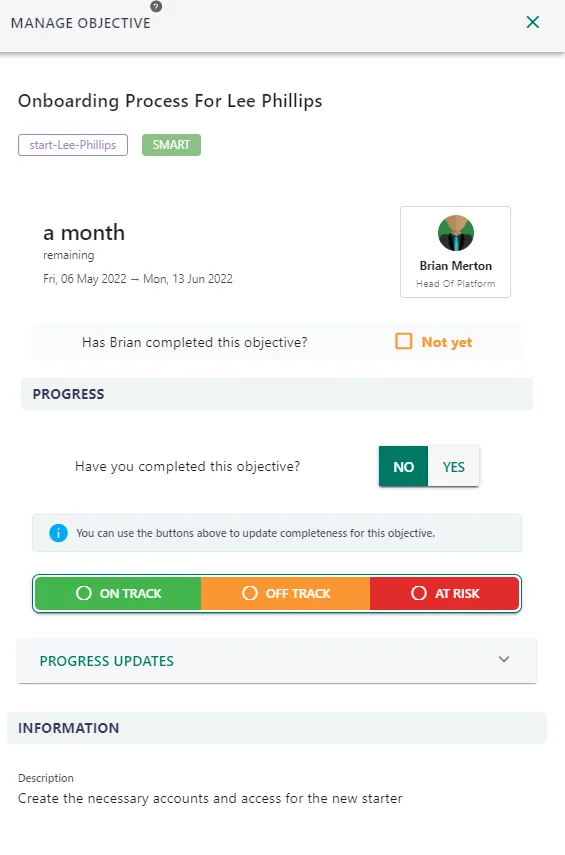
- Creates an onboarding objective for the manager for the new starter.
- Waits until 7 days before the start date of the new employee.
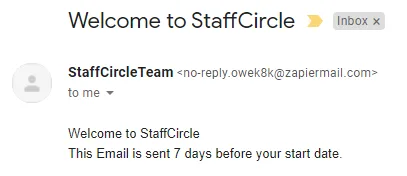
- Sends an example welcome pack to the user.
Step 1: Create a Webhook Receiver In Zapier
Open Zapier and create a new zap. Create a zap and choose the trigger to be a ‘Webhooks by zapier and setup as shown below’
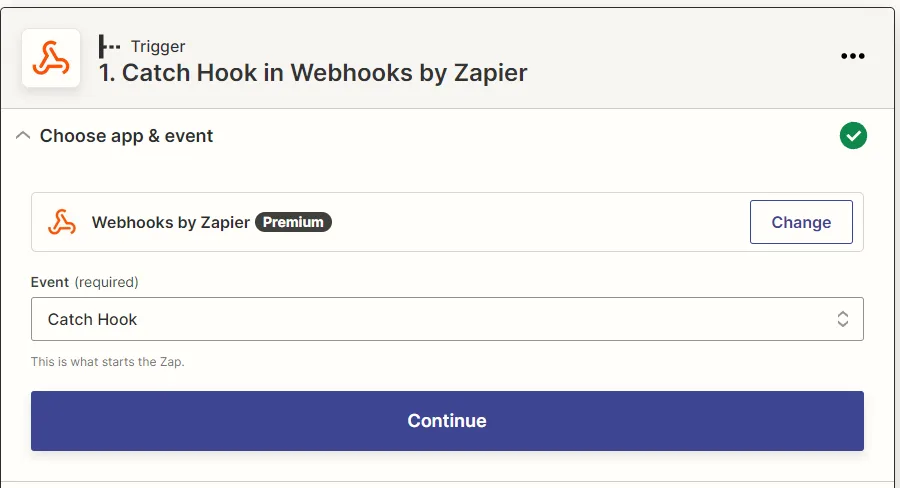
Click continue until you see the screen below and copy the webhook address.
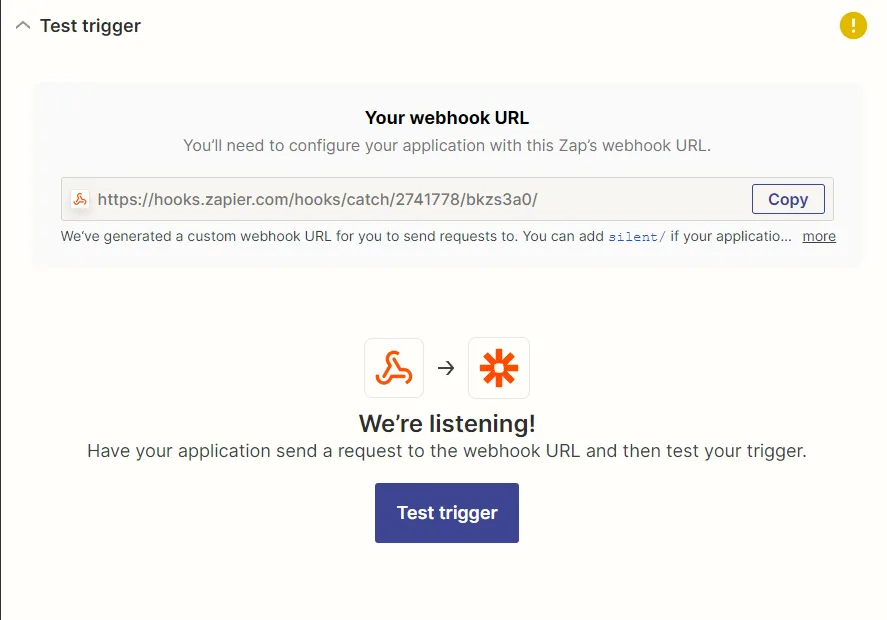
Step 2: Create a Webhook In StaffCircle
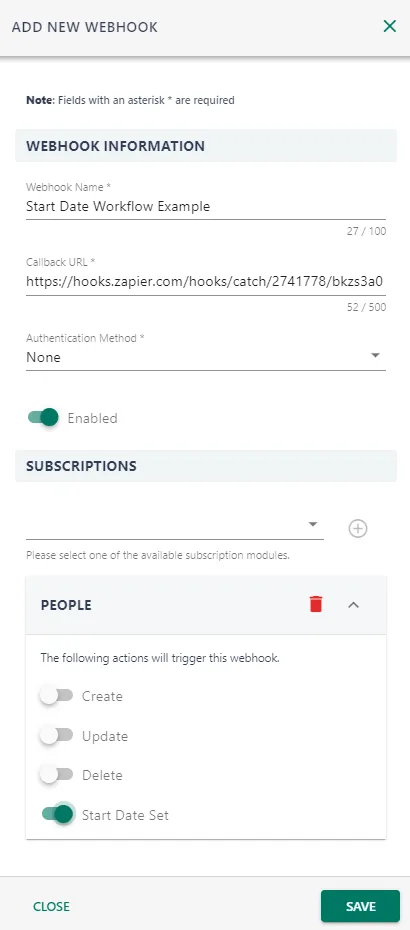
Navigate to StaffCircle Webhooks inside StaffCircle in the integrations section of the settings area. Create a new webhook with a subscription to the 'People - Start Date Set' event.
Step 3: Create an API Key
There are multiple ways of authenticating against the Staffcircle API, but for this demonstration we are going to use API keys.
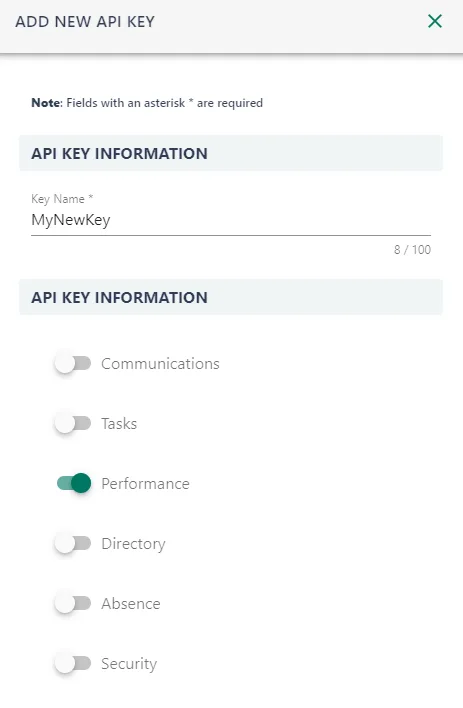
Api keys can be found under the integrations tab in the configuration area of StaffCircle.
You will need to create an API key which has permission to access the performance area of the API.
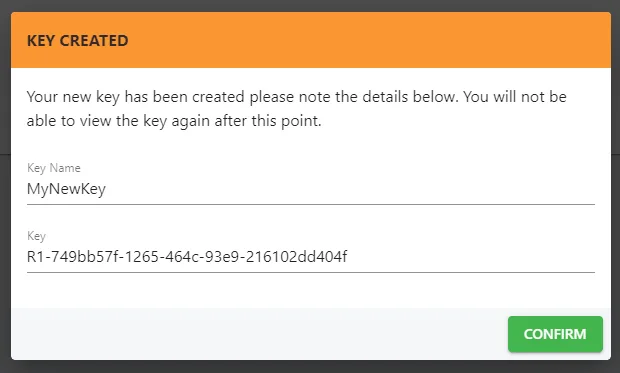
Once created you must note down the generated key and store it somewhere safe. This key is not recoverable if lost and a new key must be created.
Step 4: Calculate Some Dates
You must now add a code section to Zapier and select Javascript. This is the script which will update calculate dates to use in the rest of our onboarding process. You must select ‘Run Javascript’. And pass in the start date via the Input Data.
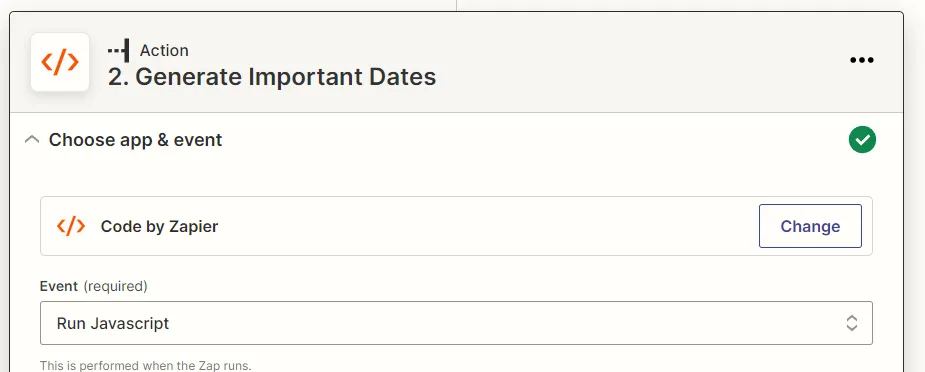
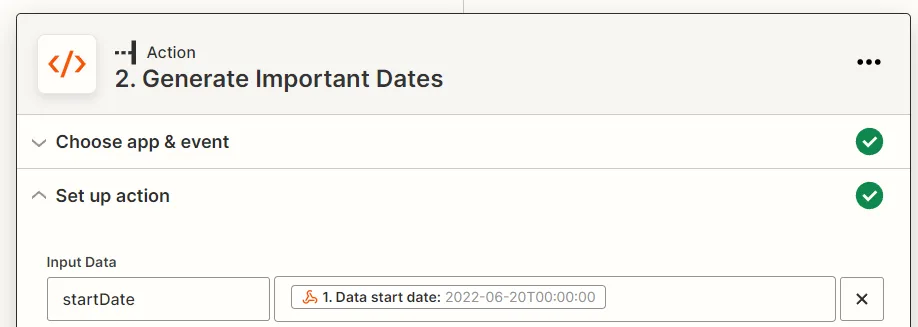
The code below will then generate the dates required for the rest of the process.
var startDate = Date.parse(inputData.startDate);
console.log(startDate);

function addDays(date, days) {
    var result = new Date(date);
    result.setDate(result.getDate() - days);
    console.log(result)
    return result;
}

var today = new Date()
var sendWelcomePackDate = addDays(startDate, -7)
var completeOnboardingDate = addDays(startDate, 7)
output = [{
    sendWelcomePackDate: sendWelcomePackDate,
    completeOnboardingDate: completeOnboardingDate,
    today: today
}];
Step 5: Create an Objective For Manager To Onboard User.
You must now add a code section to Zapier and select Javascript. This is the script which will add an objective to the manager of the newly created user and use the start date and calculated dates to determine the Start and End Date of the objective.
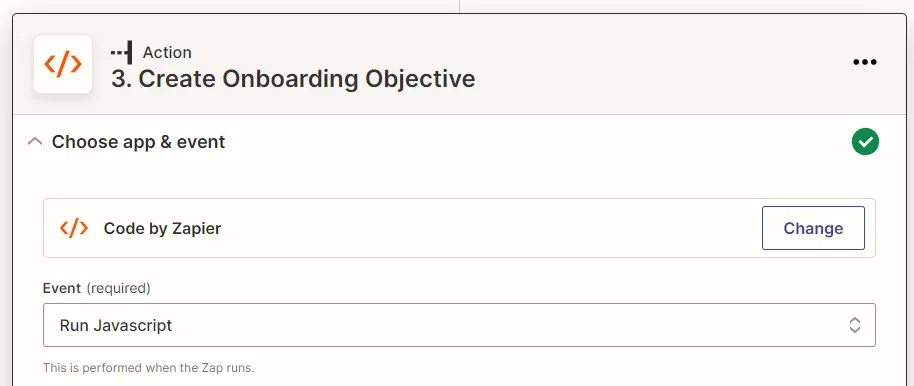
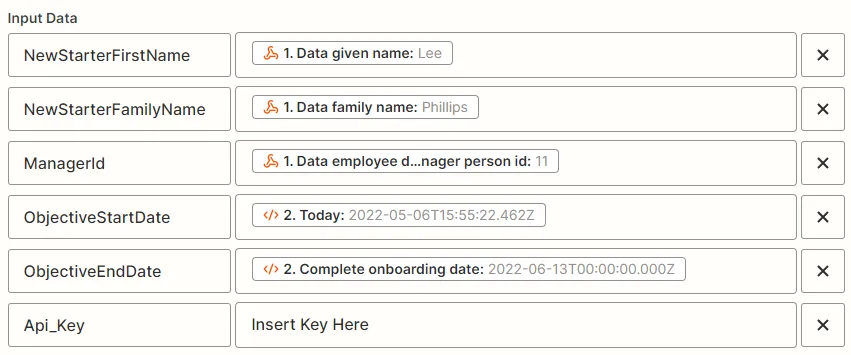
After setting the input data as above the following code will create a StaffCircle Smart Objective to add an onboarding objective for the users manager.
const https = require('https');
const gateway = "gateway.scp.staffcircle.net";

var processedObjective = "";

//This adds 100% progress an objective objectives described.
async function CreateObjective() {
    return new Promise((resolve, reject) => {
        var objectiveOptions = {
            host: gateway,
            port: 443,
            method: 'POST',
            path: `/public/performance/v1/objectives`,
            headers: {
                'authorization': "ApiKey " + inputData.Api_Key,
                'content-type': "application/json"
            }
        };

        var objectivePostData = JSON.stringify({
            "managerId": inputData.ManagerId,
            "personId": inputData.ManagerId,
            "cumulativeProgress": false,
            "title": `Onboarding Process For ${inputData.NewStarterFirstName} ${inputData.NewStarterFamilyName}`,
            "description": "Create the necessary accounts and access for the new starter",
            "tag": `start-${inputData.NewStarterFirstName}-${inputData.NewStarterFamilyName}`,
            "startDate": inputData.ObjectiveStartDate,
            "endDate": inputData.ObjectiveEndDate,
            "startValue": 0,
            "target": 100,
            "allowAddProgress": true,
            "valueType": "YesNo",
            "contentSettings": {
                "inApp": true
            },
            "methodId": "Smart"
        });

        var objectiveProgressRequest = https.request(objectiveOptions, (res) => {
            var body = '';
            res.on('data', async function(chunk) {
                body += chunk;
            });
            res.on('end', async function() {
                processedObjective = body;
                resolve(res);
            });
        }).on('error', async function(e) {
            reject(e);
            console.log("Got error: " + e.message);
        });

        objectiveProgressRequest.write(objectivePostData)
        objectiveProgressRequest.end();
    });
}

await CreateObjective()
output = [{
    'processedObjective ': processedObjective
}];
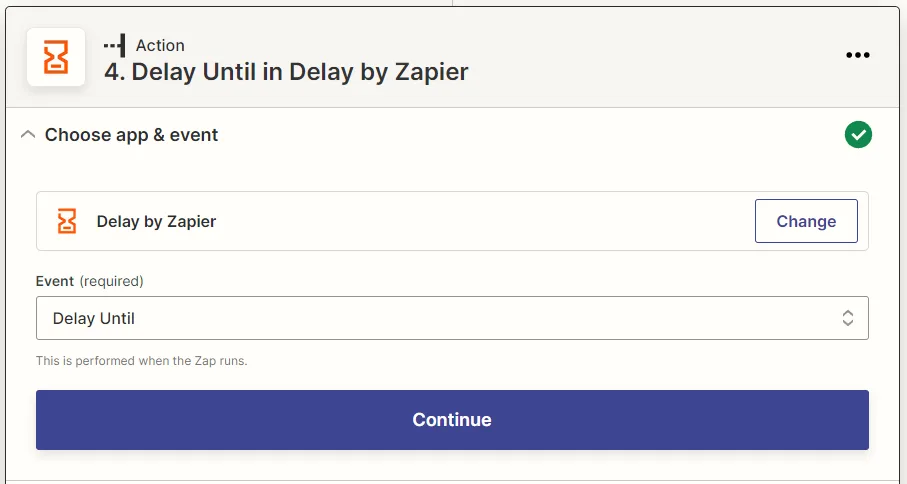
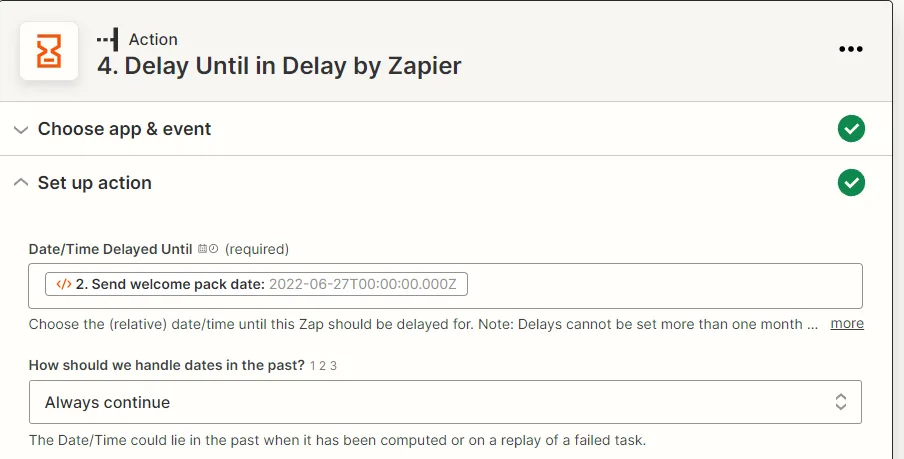
Step 6: Introduce a Delay
Add a delay by Zapier and delay the Zap until the ‘Send Welcome Pack Date’
Step 7: Send a Welcome Email
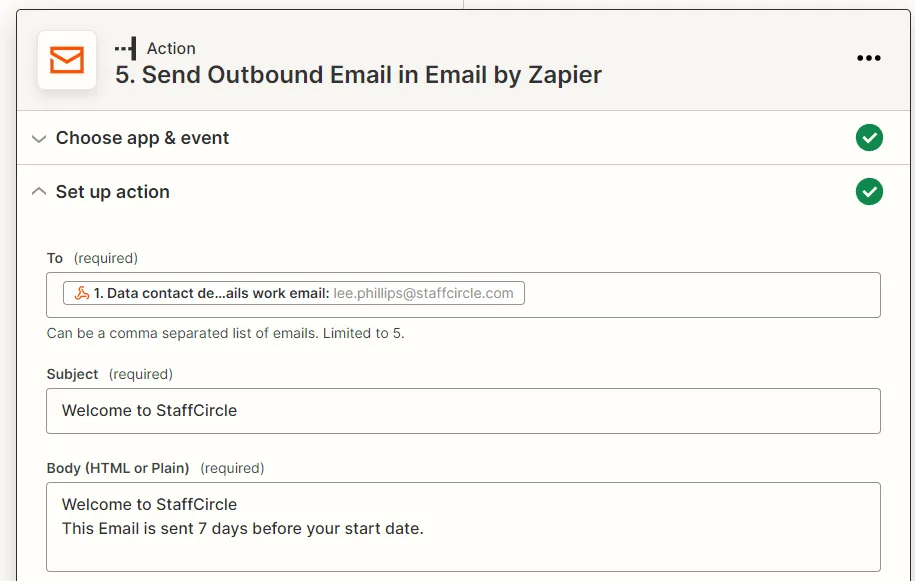
Send an outbound email using the Zapier Email action, and using the email address provided in the details of the webhook for the users work email.
Example Results
Once this example is run you will find a newly created Smart objective for the manager, and the user will receive a welcome email 7 days before their start date.