Surveys by Person Report
The Surveys by Person report will allow you to access the textual responses from Engagement, eNPS, and Sentiment surveys. Text responses cannot be viewed in any of the dashboards, as this information is deemed sensitive. Therefore, only users with 'sensitive' permissions can access this report.
To access the Surveys by Person Report, hover over the Communications section of the side-bar, then navigate to: Insights ➡️ Reports.
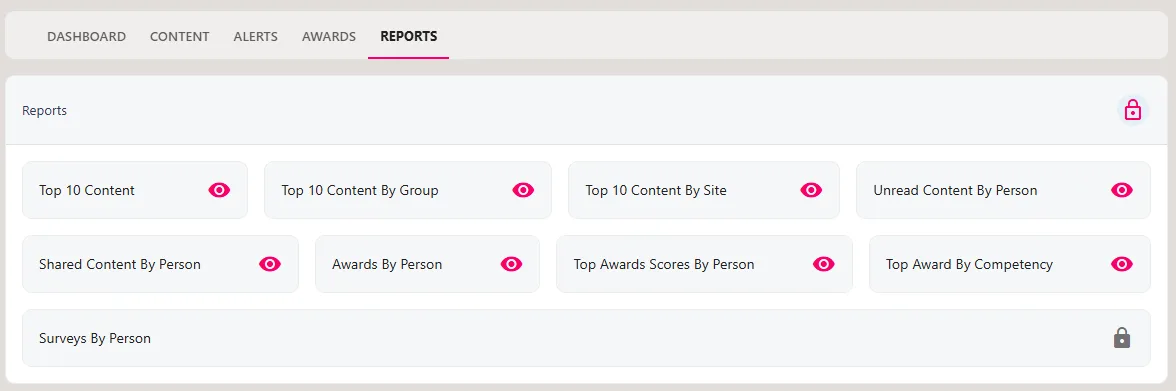
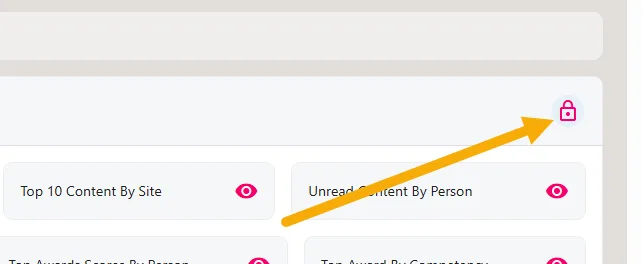
Assuming that sensitive permissions have been granted for your account, click on the padlock icon in the top-right-hand corner of your screen. This will send an automated email to your email address containing a secure code.
Enter the secure code in the text box and click the green tick icon to validate the secure code. You will now be able to download the Surveys by Person Report.

Select the template associated with the survey from the Filter by Survey Template drop-down. The survey's anonymity will ultimately determine which fields display in the report.
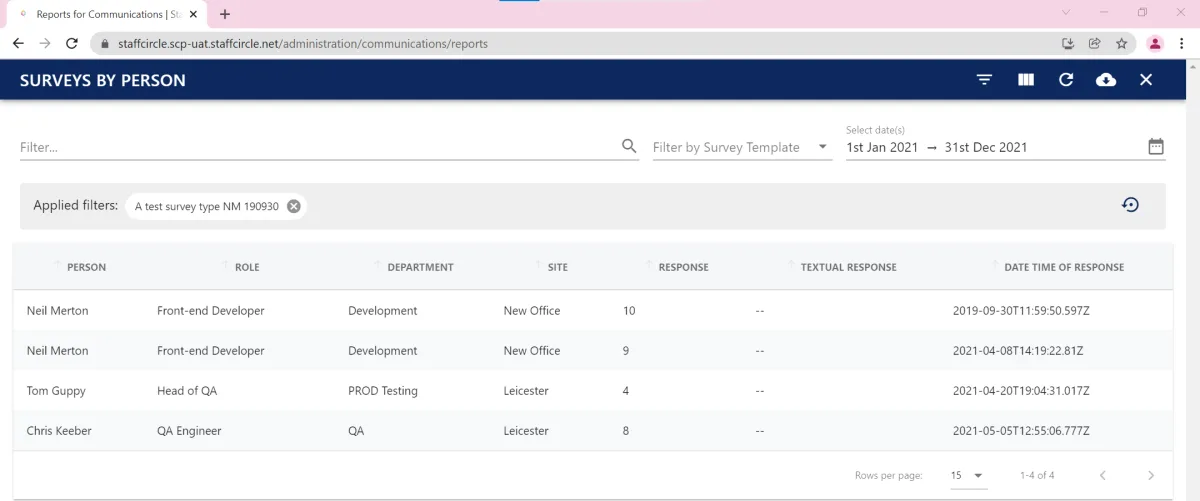
You can utilise the buttons and filters in the top right-hand corner of the report to help you identify responses recorded within a specified date range. Furthermore, you can download the entire survey by clicking on the cloud icon in the top right-hand corner of the screen.