How do I reset my Password?
Can't remember you password? No problem, follow this short video to find out how to reset.
Tip 1: Usernames for the system can be set by an administrator as either email or mobile number. Make sure that you are using the right one.
Tip 2: Double check the accuracy of your username. It is really easy to mistype a letter/number in which case your username won't be recognised.
If you are unsure about the username in the first instance contact the system administrator in your organisation to check your Username.
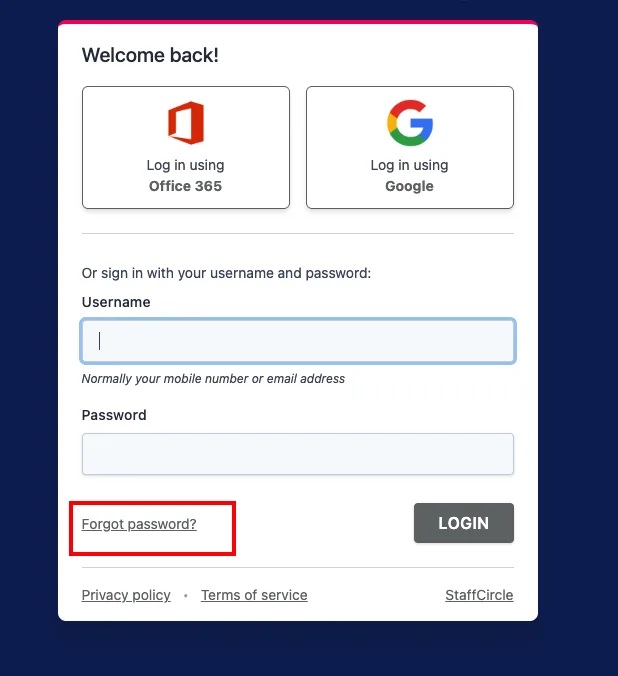
To reset your password, go to the login screen (the area where you first login to StaffCircle) and click on the "Forgot Password" link - screenshot below:
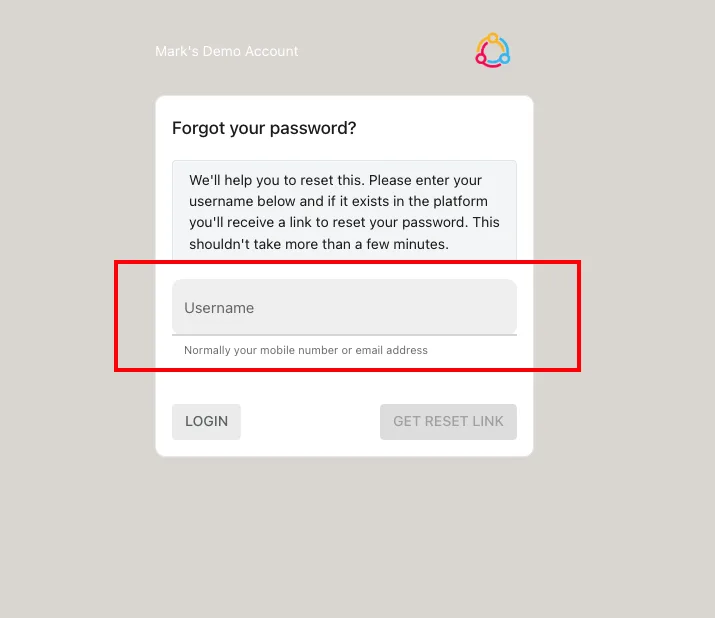
then on the next screen enter your email address (or mobile phone number if you only use a mobile to access) . This will email you a reset password link to your registered email address or mobile.
Still struggling to reset your password? Please either contact your manager or email support@staffcircle.com