Values: Add/Associate a Behaviour
Once you have added the value to the platform, you can then add the associated behaviours.
Step One
Click on the settings wheel in the top right-hand corner of the screen and click on the Organisation and Branding tab on the left-hand side.
🚀 If you are using our new menu feature, select the settings wheel in the bottom left-hand corner of the screen and select Organisation and Branding from the secondary side-bar under SETTINGS.
Step Two
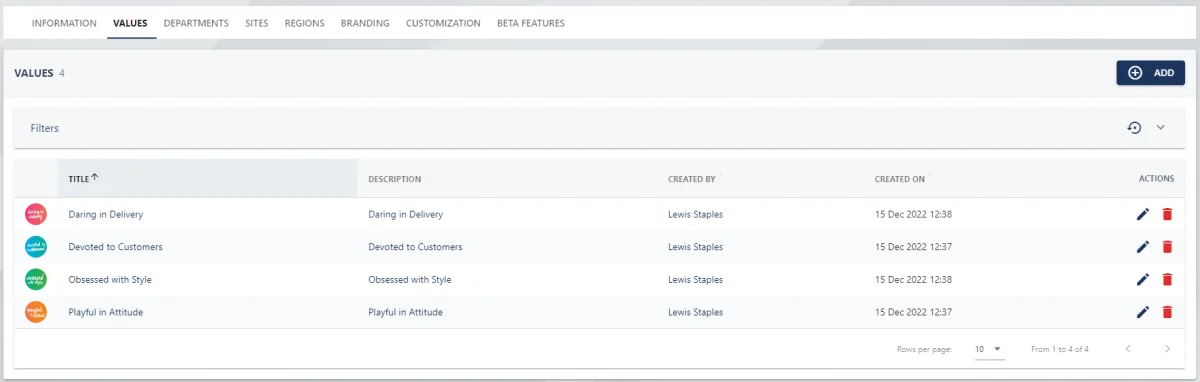
Select the VALUES tab at the top of the page.
Step Three
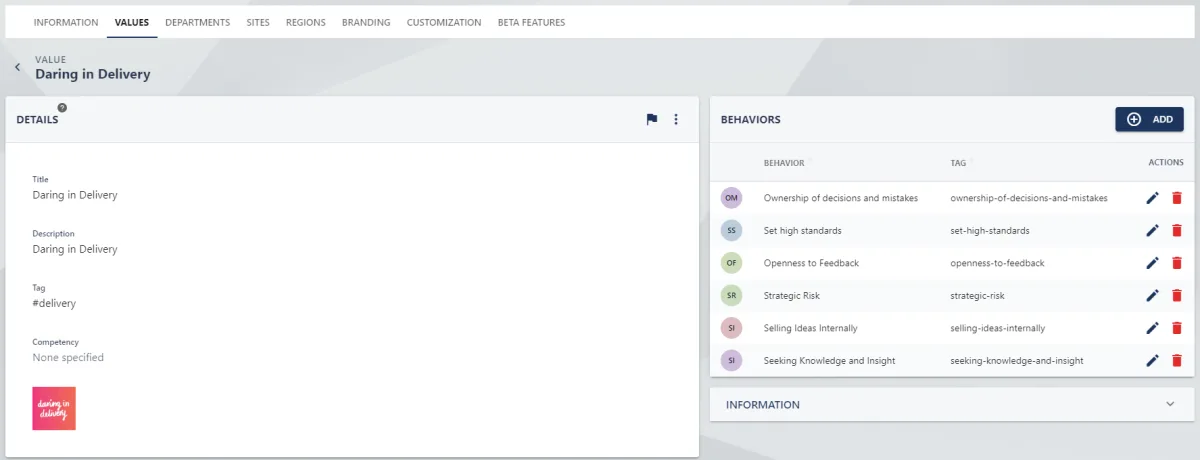
Click on the title of the value from the list, this will open the value's details page.
Step Four
Under the Behaviours section to the right, click on the ADD button. This will open the ADD BEHAVIOUR pull-out drawer.
Step Four
Provide a title and description for the behaviour. You will also need to provide a tag which allows the behaviour to be referenced in comms posts.
You can also choose to link this behaviour to a company competency. We would also recommend uploading an image.
Step Five
Click the SAVE button to add the behaviour to the value.