2.0 Registering A Webhook
If you have 'integrations' access for your user you will be able to register a new webhook in the 'Webhook' tab in the integrations area of StaffCircle settings.
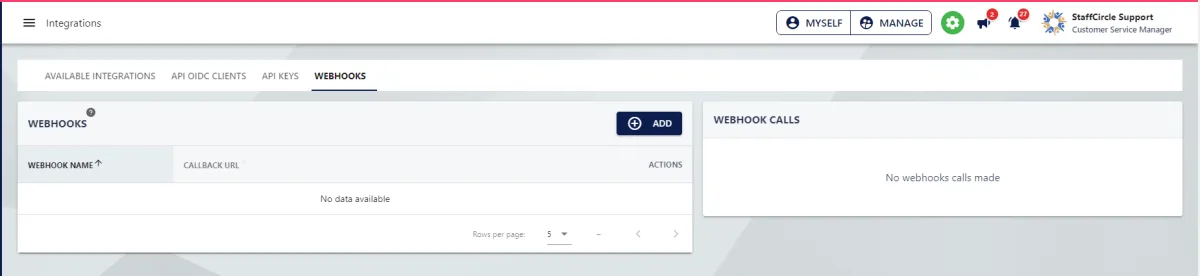
When clicking to add on the Webhooks Add button you will be presented with the following form.
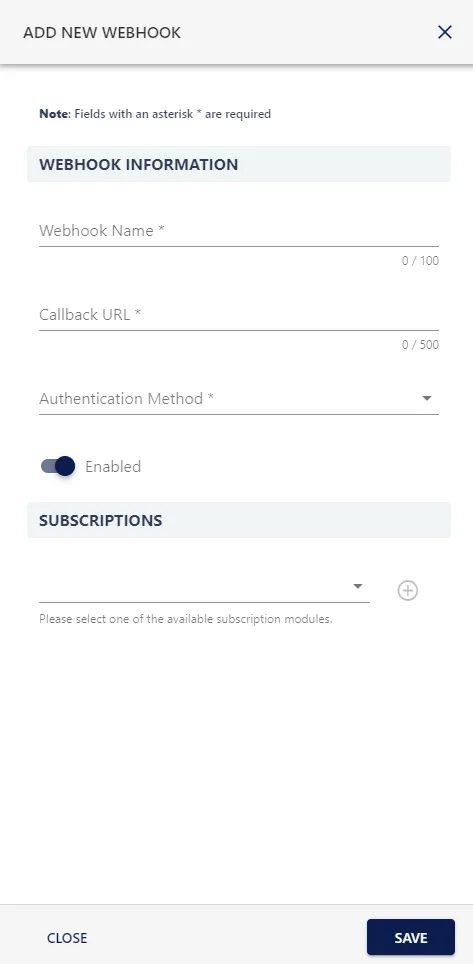
Our Webhooks require a secure Https endpoint and one or more subscriptions. The currently available resources that can be subscribed to are:
• Absences
• Achievements
• Articles
• Awards
• Benefits
• Comments
• Custom Feed Entry
• E-Sign Envelopes
• Feedback
• Licenses
• Objectives
• Objectives - Progress
• People
• People Skills
• Reviews
• Secure data
• Surveys
• Surveys - Response
• Tasks
All objects allow subscriptions to three types of data event.
• Create – When a resource is first entered onto the system
• Update – Any time a resource of this type is updated
• Delete – Any time a resource of this type is removed.
The Webhook will only send messages when an event in our system matching its' subscriptions occur.
Once created the you will be given a screen displaying information about your newly created Webhook.