Knowledge base · Communications
Notification Templates: Ignore Phrases
You can ignore inbound email responses to notifications containing specific phrases. This is especially useful if you want to filter out Out of Office when a recipient replies to an email notification.
Step One
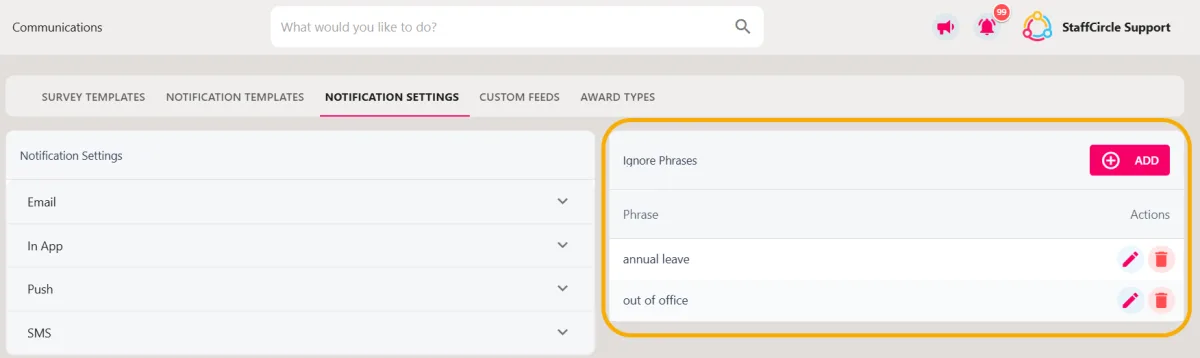
Hover over the Comms section of the sidebar, then navigate to: Configuration ➡️Notification Settings. Select the Notification Settingstitle and proceed with step two.
Step Two
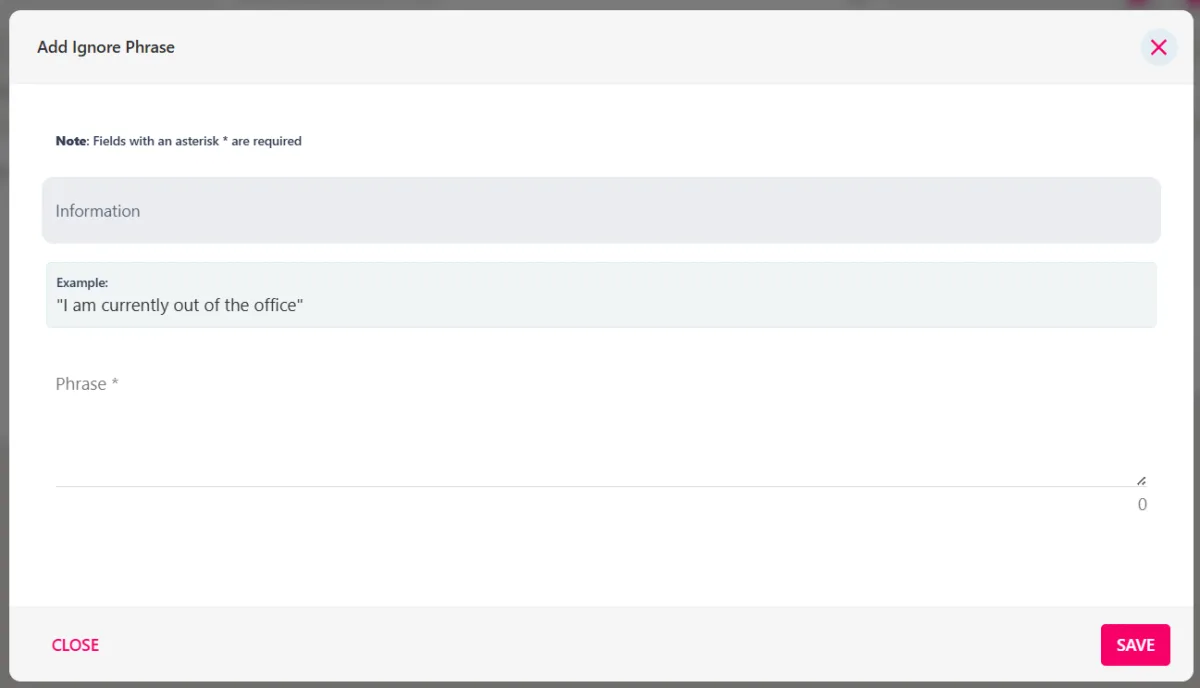
Click the plus button to open the Add Ignore Phrase pop-up.
Step Three
Enter the phrase in the Phrase text box and click the SAVE button to complete the process.