It is easy to make changes to published content. You may need to do this to correct any typos, change the audience of a post, upload an attached document etc.
Step One
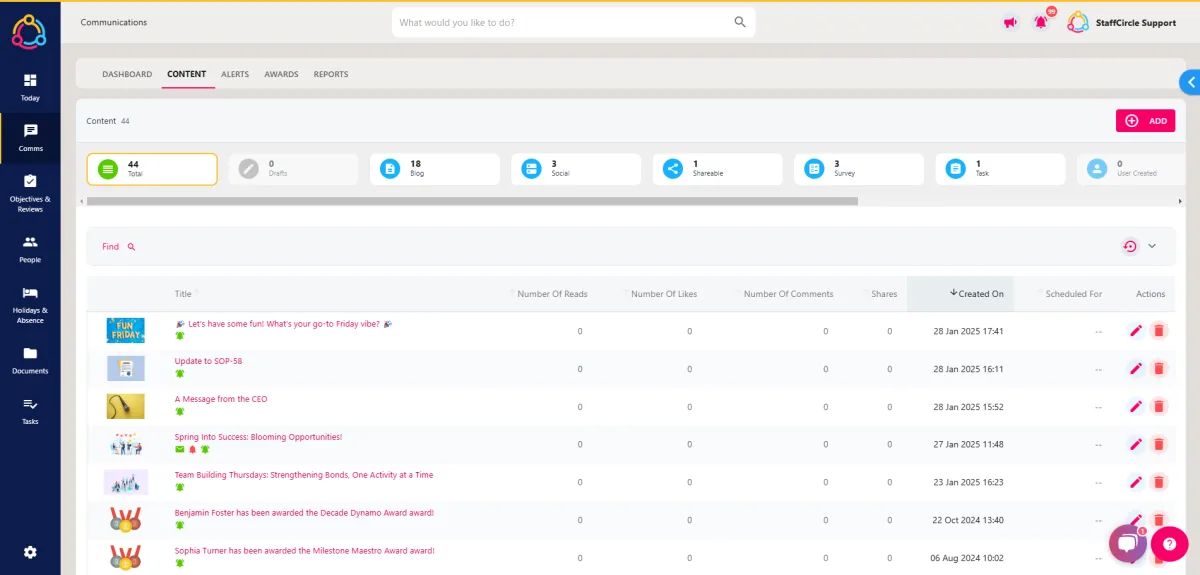
Hover over the Comms section of the side-bar, then navigate to: Manage ➡️ Content. Select the Content title to view a list of all content published in your platform.
Step Two
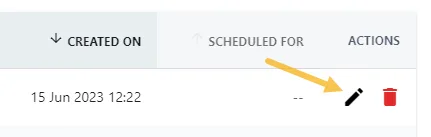
Click on the pencil icon next to the post in the Actions area to open the Update Content pop-up in the centre of the screen.
Step Three
Update the content within the drawer, then click the SAVE CHANGES button in the bottom right-hand corner of the screen to complete the process.
If you need to unpublish the content so that it does not appear on the feed, you can click the UNPUBLISH button.