Knowledge base · Tasks & Worksheets
Worksheets Administration View
This is the area where all Worksheets that have been created are listed and where you are able to add a new type of worksheet or duplicate in order to alter an existing worksheet.
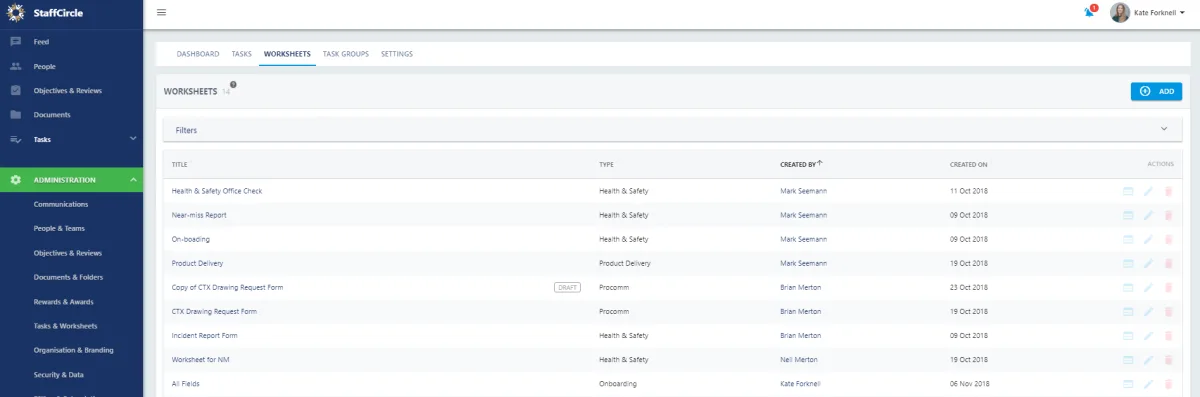
Select the worksheet to view the details.
If you need to edit the file information such as worksheet title, description, if the worksheet is adhoc or published? Press  from the list view or
  from the detailed view then
If you would like to alter the worksheet itself press  from the list view or
  from the detailed view then
  to go in to the form builder.
To add a brand new worksheet press  and follow this article.
For help on how to build a worksheet visit this article