A worksheet is a template that is assigned as a part of a task for the user to complete.

Your current paper based worksheets can be built in a straightforward way using drag and drop fields.
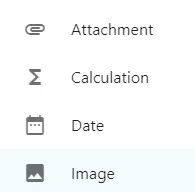
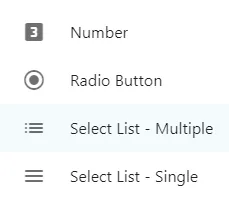
Screenshot from the StaffCircle platform: Fields within the Worksheet BuilderScreenshot from the StaffCircle platform: Fields within the Worksheet BuilderScreenshot from the StaffCircle platform: Fields within the Worksheet BuilderScreenshot from the StaffCircle platform: Fields within the Worksheet Builder

Attachment - to request a document to be attached to the worksheet. Screenshot from the StaffCircle platform: Fields within the Worksheet Builder

Calculation - these can either be shown or hidden from the worksheet view.

Date - Screenshot from the StaffCircle platform: Fields within the Worksheet Builder
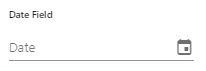
Image - to request for an image to be uploaded.Screenshot from the StaffCircle platform: Fields within the Worksheet Builder

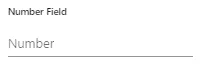
Number - for numbers aloneScreenshot from the StaffCircle platform: Fields within the Worksheet Builder

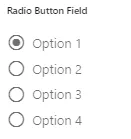
Radio Button - to create a list of options for the user to choose from embedded in the worksheet. Screenshot from the StaffCircle platform: Fields within the Worksheet Builder
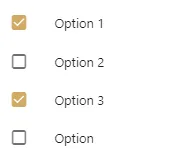
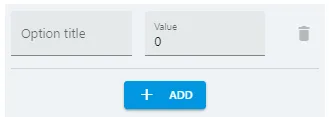
Select List - Multiple - to create a list of options for the user to choose multiple selectionsScreenshot from the StaffCircle platform: Fields within the Worksheet BuilderScreenshot from the StaffCircle platform: Fields within the Worksheet Builder
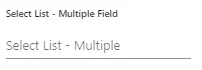
When selecting this field you will be able to add the Option Titles. Press Screenshot from the StaffCircle platform: Fields within the Worksheet Builder to create more optionsScreenshot from the StaffCircle platform: Fields within the Worksheet Builder

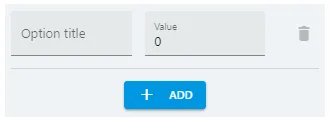
Select List - Single - to create a list of options for the user to choose one selection. Screenshot from the StaffCircle platform: Fields within the Worksheet Builder
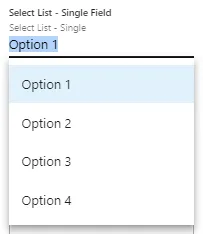
When selecting this field you will be able to add the Option titles. Press Screenshot from the StaffCircle platform: Fields within the Worksheet Builder to create more optionsScreenshot from the StaffCircle platform: Fields within the Worksheet Builder

The values that are applied to the options when creating can later be used for calculations.

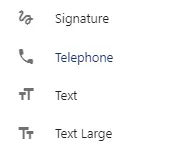
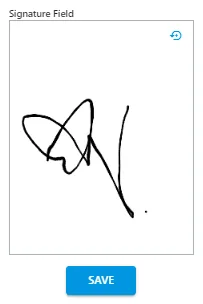
Signature - to request a signature to be submitted as part of the formScreenshot from the StaffCircle platform: Fields within the Worksheet Builder
Telephone - Use this if request a telephone number instead of the number field to ensure the first 0 is not dropped. Screenshot from the StaffCircle platform: Fields within the Worksheet Builder

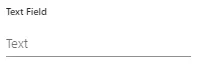
Text - to request a small amount of free textScreenshot from the StaffCircle platform: Fields within the Worksheet Builder
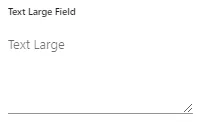
Text Large - to add a large text box for free textScreenshot from the StaffCircle platform: Fields within the Worksheet Builder
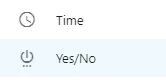
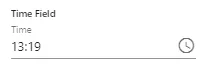
Time - to add a time stamp, this will auto populate with the current time but the clock can be used to alterScreenshot from the StaffCircle platform: Fields within the Worksheet Builder
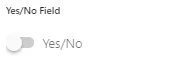
Yes/No - a simple toggle button of yes or noScreenshot from the StaffCircle platform: Fields within the Worksheet Builder