Knowledge base · Tasks & Worksheets
Add or Edit a Worksheet
To edit an existing worksheet press  from the list view or
  from the detailed view then
To add a brand new worksheet press 
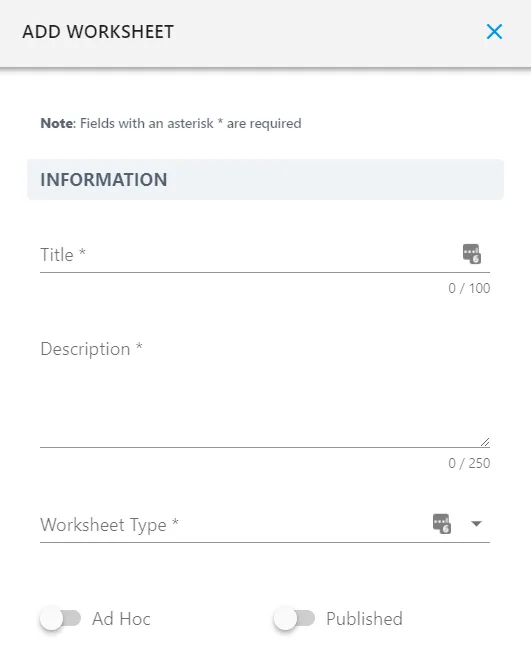
Title your worksheet and provide a description on what it is used for.
Add a predefined Worksheet Type in order to place your worksheet in a group so that it is easily searchable at a later date.
Finally before saving decide if you would like for the Worksheet to be able to be created on an ad-hoc basis and if your Worksheet is published for use.
Once happy press 
Now that you have created a worksheet go in to the worksheet builder to design your worksheet.