Creating folders for Review Types and Feedback Questions can help to better organise your templates.
A folder can be created when creating/updating a review template, or feedback questions.
Under the Review Template Folders/Feedback Question drop-down, select the folder you wish to add the template to.
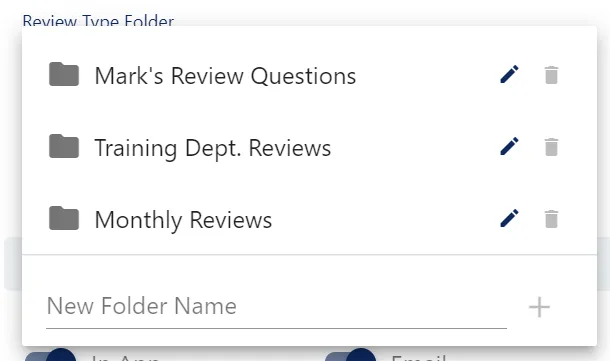
Alternatively, you can create a new folder by populating the New Folder Name field and clicking the ➕ button.
Folders can be renamed and deleted using the pencil and trash can icons next to their name in the list.