Add and Configure the Objectives Leaderboard
As a prerequisite, ensure that the Objectives Leaderboard is enabled by toggling on the "Leader Dashboard" setting in the relevant Security Groups.

This will enable the DASHBOARD tab within the Objectives area of the platform in administration mode.
Step One
Hover over the Objectives and Reviews section of the sidebar, then navigate to: Configuration➡️Objectives ➡️ Dashboard. Select the Dashboard title to open the Objectives Dashboard Settings.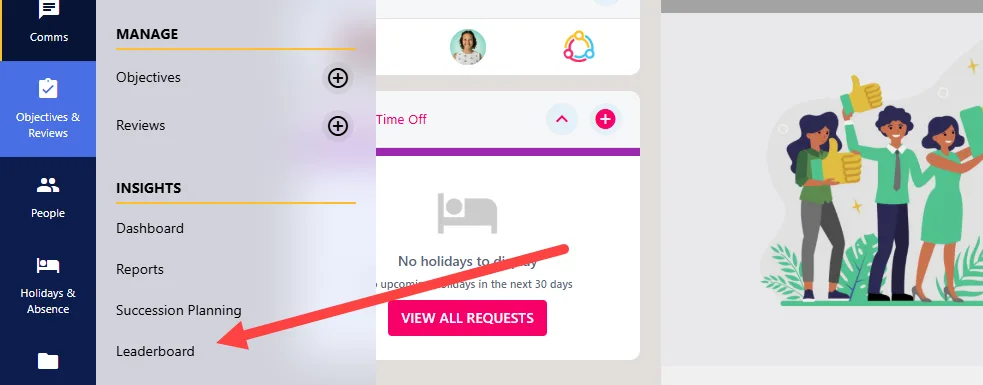
Step Two
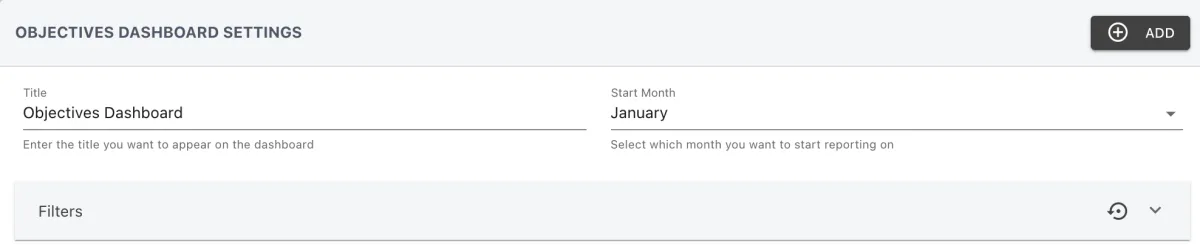
In the title field, populate a title or name for your dashboard, then set a Start Month for the reporting to begin.
Step Three
Next, you will now need to add the columns to your leaderboard. To add a new column, click the ADD button in the right-hand side of your screen. This will open up the Add Dashboard Column pop-up.
Step Four
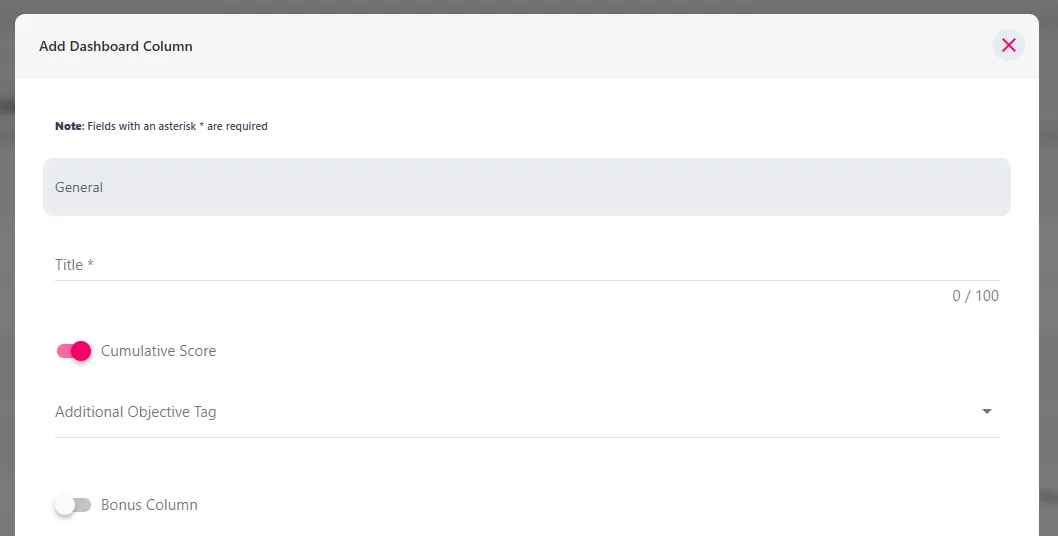
Set a title for the column, then choose to use a cumulative score from all objectives or to present the scores for specific objective tags.
You can also optionally include bonus data by turning on the Bonus Column toggle. With a per-tag score you can also specify a weighting for the score, i.e. scores per leader point.
Step Five
Continue to add additional columns until you are happy that the report is inclusive of all objective tabs you want to report on.
Step Six
Once the configuration for the Leaderboard has been configured, you can view the Leaderboard by hovering over the Objectives and Reviews section of the sidebar and navigating to Insights➡️Leaderboard.

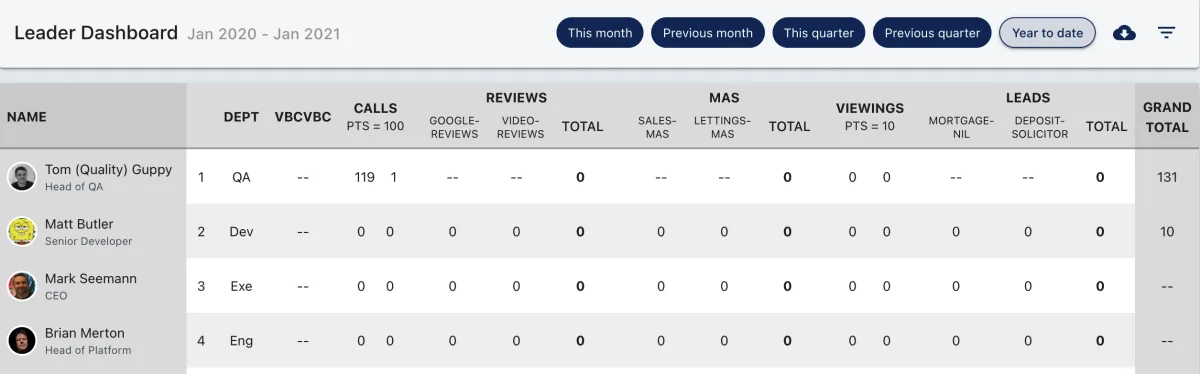
The Leaderboard will include any data linked to the relevant tagged objectives. Alternatively, objective progress can be imported into your objectives as long as the relevant tags are used.