Importer: Roles
You can import Roles, including their description via the Role Import page.
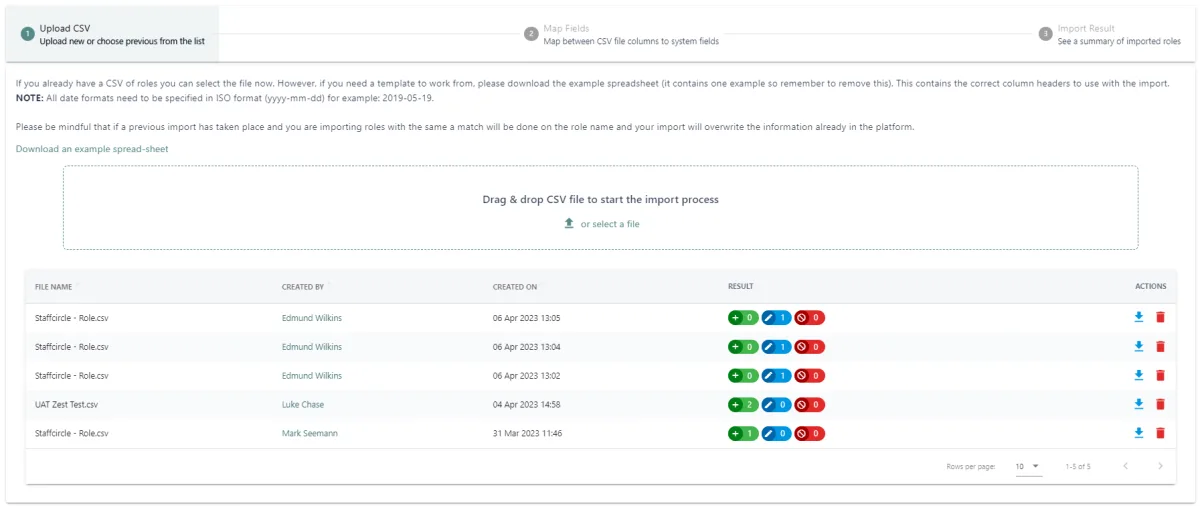
To do so we recommend downloading our example spreadsheet and populating it with your role names and descriptions.

Once populated it will need to be saved as a CSV and then you can either drag and drop the document into the upload section or go through the file uploader.

Once you've selected your file you'll be taken to step two, where you can map the columns.
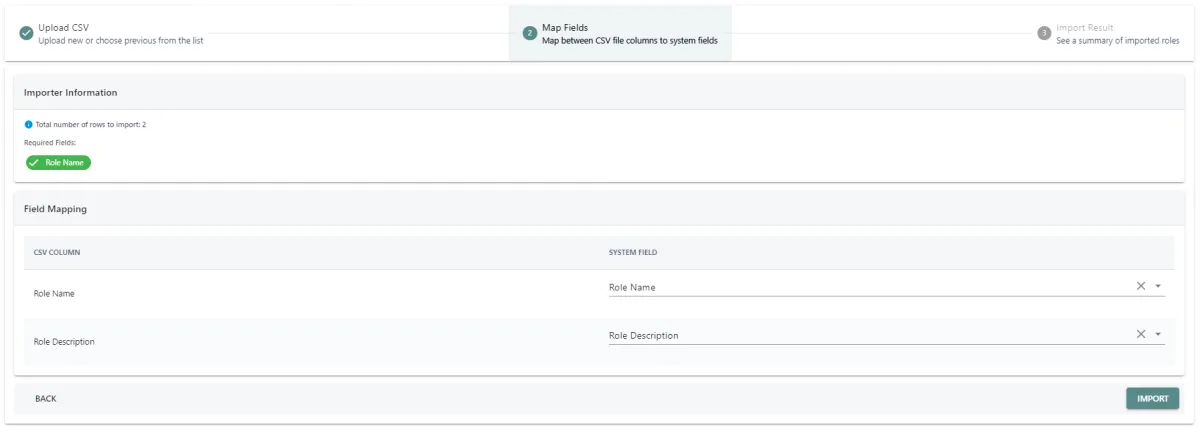
After mapping your spreadsheet columns to the fields within the platform you can click IMPORT.
You will see the import in progress and once complete be shown the import results.
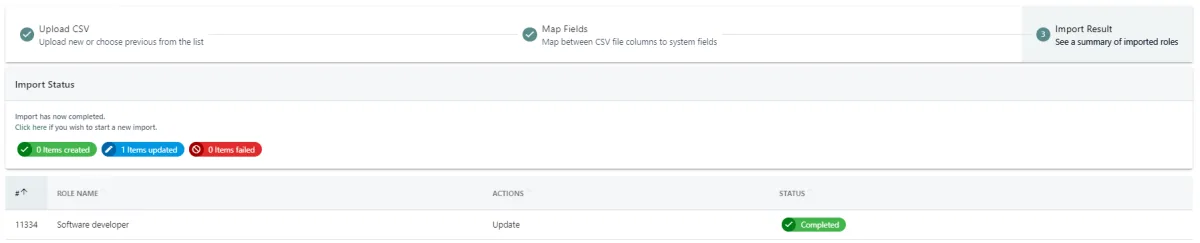
Please note: The import matches on Role Name, meaning if you have existing roles and descriptions, these will be updated with the information on your import sheet.