Updating your Profile
Within your personal profile area, you can update some of your personal information such as your address, next of kin, or mobile number. This is also the area where you can upload a profile photo of yourself to show other employees in your business what you look like.
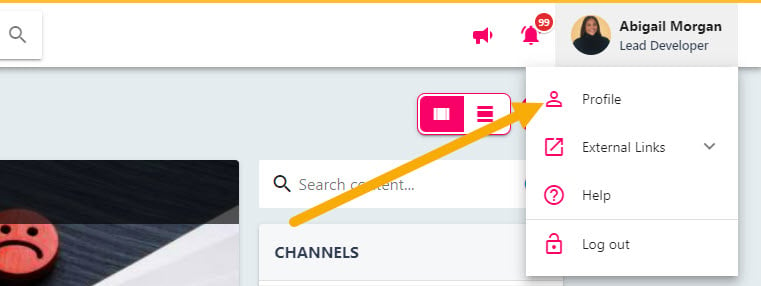
To update your personal profile, click on your name in the top right-hand corner of the screen, then select ‘Profile’ drop the drop-down.
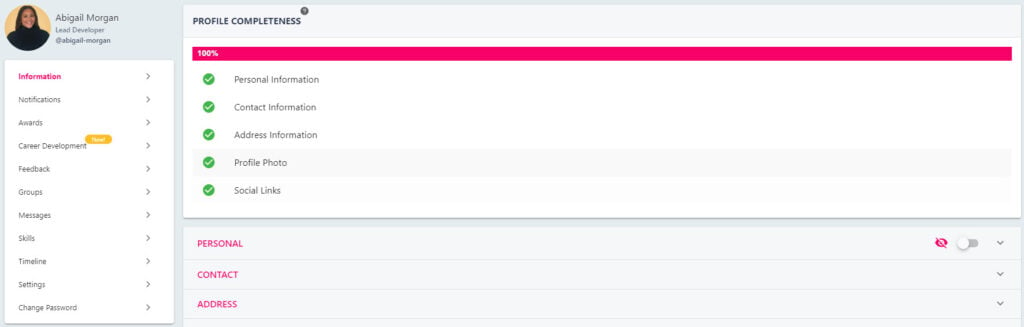
Select the relevant section in the lower half of the screen to view what information is held against your profile in StaffCircle. You cannot update all of the fields in your profile area, so please contact your system administrator if any of the information in the greyed out areas is incorrect.

Uploading a Profile Photo
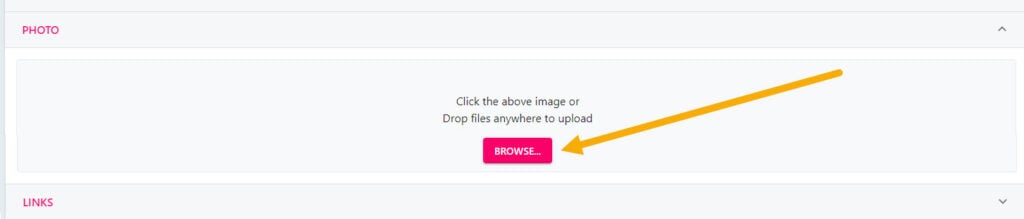
To upload a profile photo of yourself, select the PHOTO section and click the BROWSE button to select a photo from your device. This photo will appear in the top right-hand corner of the screen whenever you use the platform, and next to your name in the directory view.
Related knowledge-base articles
Practical answers that go with this lesson — matched to what your role can do.
