View your Training Log
In this lesson, we will look at where you can view your personal training log. Your training log contains a record of your completed training courses, which could range from induction training to professional development qualifications. It will also advise which training courses are ‘active’, and which training has ‘expired’ and may need renewing.
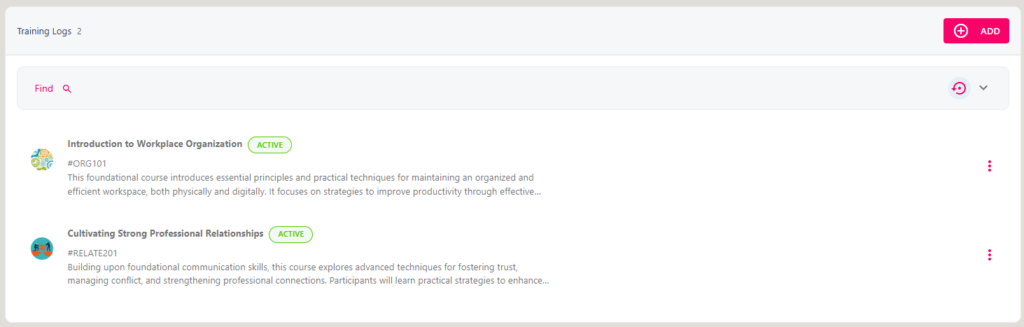
On your Training Log, you can add new training courses (including ad-hoc training and courses from the course library), and update your existing (edit and delete).
Step One
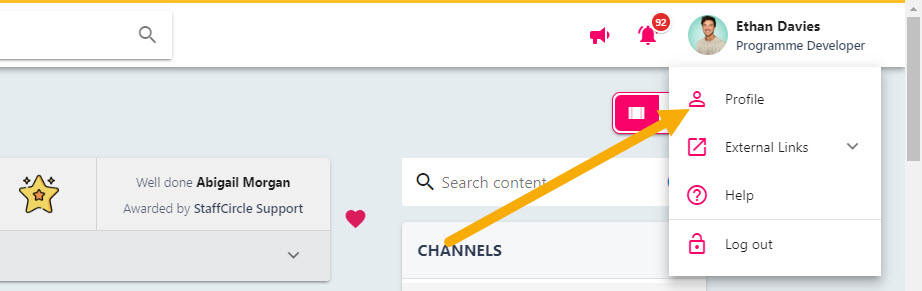
Click your name/icon in the top right-hand corner of the screen, then select ‘Profile’ drop the drop-down. This will open up your personal profile where you will be able to view any skills you have been assigned, awards, and feedback.
Step Two
If you have been assigned any skills, you will see a Training option to the left-hand side of the page. Select the Training tab to open your personal training log.

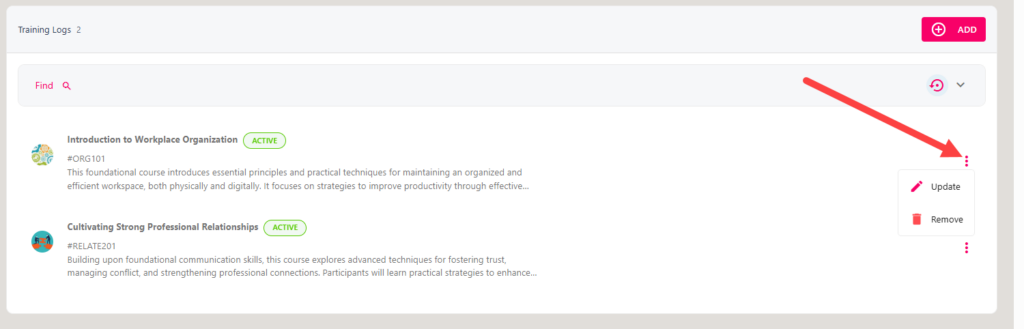
To update or delete an entry from the training log, click on the three dots next to the training record.
Keep learning
Hand-picked blogs, guides, tools and videos on this topic.